Customer Photo Contests for Local Shops: QR, No App, 3 Fields
Customer Photo Contests for Local Shops: QR, No App, 3 Fields

A customer photo contest works best when you make entry effortless, state the rules up front, and attach a prize worth the trouble: for local businesses, that usually means a QR code that opens straight to an upload form, paired with contest terms that spell out eligibility and grant you the right to reuse the photos.
TL;DR:
- Choose one primary measure, such as coupon redemptions, new follows, or repeat visits, then match the entry method and prize to that goal.
- Use a contest or sweepstakes hashtag, record timestamped consent, and get separate written permission before using any submitted photo in paid ads.
- Run the promotion for one to four weeks, schedule a reminder midway through, and publish the winner announcement date before entries open.
- Use public voting for engagement, a staff panel for quality control, or a random draw when entries vary widely in effort.
- Send every entrant a thank you email with a limited time coupon, and shortlist strong submissions for future advertising or in store displays.
Table of Contents
- Step-by-step runbook: plan, set rules, collect photos, and moderate entries
- Legal checklist: FTC disclosure, copyright permissions, and consent wording
- Promotion channels and prize ideas that drive visits and entries
- Measuring results and turning entrants into repeat customers
- Why QR-first photo contests work for local businesses
- Get Reward QR: a quick way to run QR-enabled photo contests
- FAQ
- Sources
Step-by-step runbook: plan, set rules, collect photos, and moderate entries
Before you design a single poster, decide what success looks like. A contest aimed at foot traffic needs different tracking than one built for follower growth or coupon redemptions, so pick one primary metric and let it shape your entry method and prize.
- Set your objective first. Choose one primary metric, such as redemptions, new follows, or repeat visits, and build the rest of the contest around it.
- Pick an entry method. A QR scan that opens an upload page works best for walk-in customers because it skips the extra step of finding and typing a hashtag; a branded hashtag or email entry can work as a backup channel.
- Collect the right fields. Ask for the photo file, a short caption, a name and contact method, and a consent checkbox confirming the entrant agrees to the contest terms.
- Write short rules, then link full terms. State the entry window, eligibility, how you will pick a winner, and that entries grant you a license to use the photo, then link a longer terms page for detail.
- Set submission specs. Define a maximum file size, a preferred aspect ratio, and a short list of prohibited content, then assign someone to review entries daily.
- Build your launch kit. Design in-store signage with the QR code, brief staff on how to explain the contest in one sentence, draft a few sample social posts, and set a date to announce the winner.
A simple version of this flow looks like: a customer scans a QR code at the table or register, uploads a photo on the spot, and receives an instant coupon or confirmation email. Platforms like Get Reward QR are built around exactly this scan-to-upload sequence, so you can set it up without asking anyone to install an app.
Pro Tip: Keep the upload form to three fields or fewer. Every additional field cuts completion rates, and a photo contest only works if people actually finish entering.
Legal checklist: FTC disclosure, copyright permissions, and consent wording
A photo contest is a marketing promotion, and the rules that govern endorsements and copyright still apply even though your entrants are regular customers, not influencers.
- Treat any incentivized submission as an endorsement. The FTC’s endorsement guidance recommends adding a word like “contest” or “sweepstakes” to your campaign hashtag, since an incentivized hashtag alone often doesn’t make the reward obvious enough.
- Put license language directly in your terms. Spell out where you may use the photo (your website, social accounts, paid ads), whether you can crop or edit it, and how long the license lasts.
- Collect an opt-in consent with a timestamp, not just a verbal agreement, and keep a record of it in case a question comes up later.
- Get separate written permission before using a specific photo in paid advertising. A 2026 legal guide on UGC compliance notes that re-confirming permission before paid use reduces legal risk even when your general terms already include a license clause.
- Check ownership before reusing any image you didn’t shoot yourself. Copyright Office guidance on permissions walks through how to investigate a work’s copyright status and contact the owner if it isn’t clearly yours to use.
One disclosure practice supported by FTC guidance: adding “contest” or “sweepstakes” to your hashtag makes the incentive clear to anyone who sees the post, which keeps your campaign on the right side of endorsement rules.
For wording, keep it plain: something like “By entering, you grant [business name] a license to use your photo on our website, social media, and marketing materials for [time period].” Run anything meant for paid ad use past a lawyer before you launch.
Promotion channels and prize ideas that drive visits and entries
Getting entries depends more on visibility at the point of decision than on clever copy. The strongest channels are the ones your customers already pass through.
- Put QR stickers at the point of sale, on table tents, and on printed receipts so the contest is visible exactly when customers are deciding what to do next.
- Mention the contest verbally at checkout or during service. A quick staff reminder often outperforms a sign alone.
- Share the contest on Instagram and Facebook stories, email your customer list, and post in local community groups.
- Offer a discount, a gift card, free service, or a “featured on our feed” spot, and consider a tiered structure with a top prize plus smaller runner-up rewards to encourage more entries.
- For a prize with extra appeal, a custom item like a 3D printed keepsake made from an entrant’s own photo stands out from a standard gift card.
- Run the contest for one to four weeks, with a mid-campaign reminder post and a clear announcement date.
Prepare your launch materials ahead of time: printed signage, a few pre-written captions, a sample QR landing page, and a short staff FAQ so your team can answer questions without hesitation.
Measuring results and turning entrants into repeat customers
Track a short list of numbers rather than everything your analytics dashboard offers.
- Count submissions, reach, and follower growth to see how far the contest traveled beyond your existing customers.
- Track coupon redemptions and repeat visits tied to the contest, since this is the number that connects entries to revenue.
- Match your judging method to your goal. Public voting works well for engagement, a staff panel works better for quality control, and a randomized draw is the fairest option when entries vary widely in effort.
- Confirm commercial-use permission again before featuring a winning photo in paid ads, even if your original terms already cover it.
- Follow up with every entrant, not just the winner: send a thank-you email with a limited-time coupon, build a short highlight carousel of favorite entries, and keep a shortlist of photos worth reusing in future ads or in-store displays.
Why QR-first photo contests work for local businesses
Running QR-based reward campaigns for local shops makes one thing obvious: every extra tap or download costs you entries. A QR code that opens straight to an upload form removes the single biggest point of friction in a photo contest, no app store, no login screen, just a scan and a photo.
That friction reduction is also why redemption rates tend to hold up better with app-free flows. For anyone building out their first campaign, our social media rewards examples and UGC rewards templates walk through flows other local businesses have adapted for their own contests.
— Arturo
Get Reward QR: a quick way to run QR-enabled photo contests
Everything above, the QR entry point, the consent checkbox, the instant reward, maps directly to how our platform works. We built Get Reward QR so local businesses can launch a photo contest without touching app store listings or custom development.
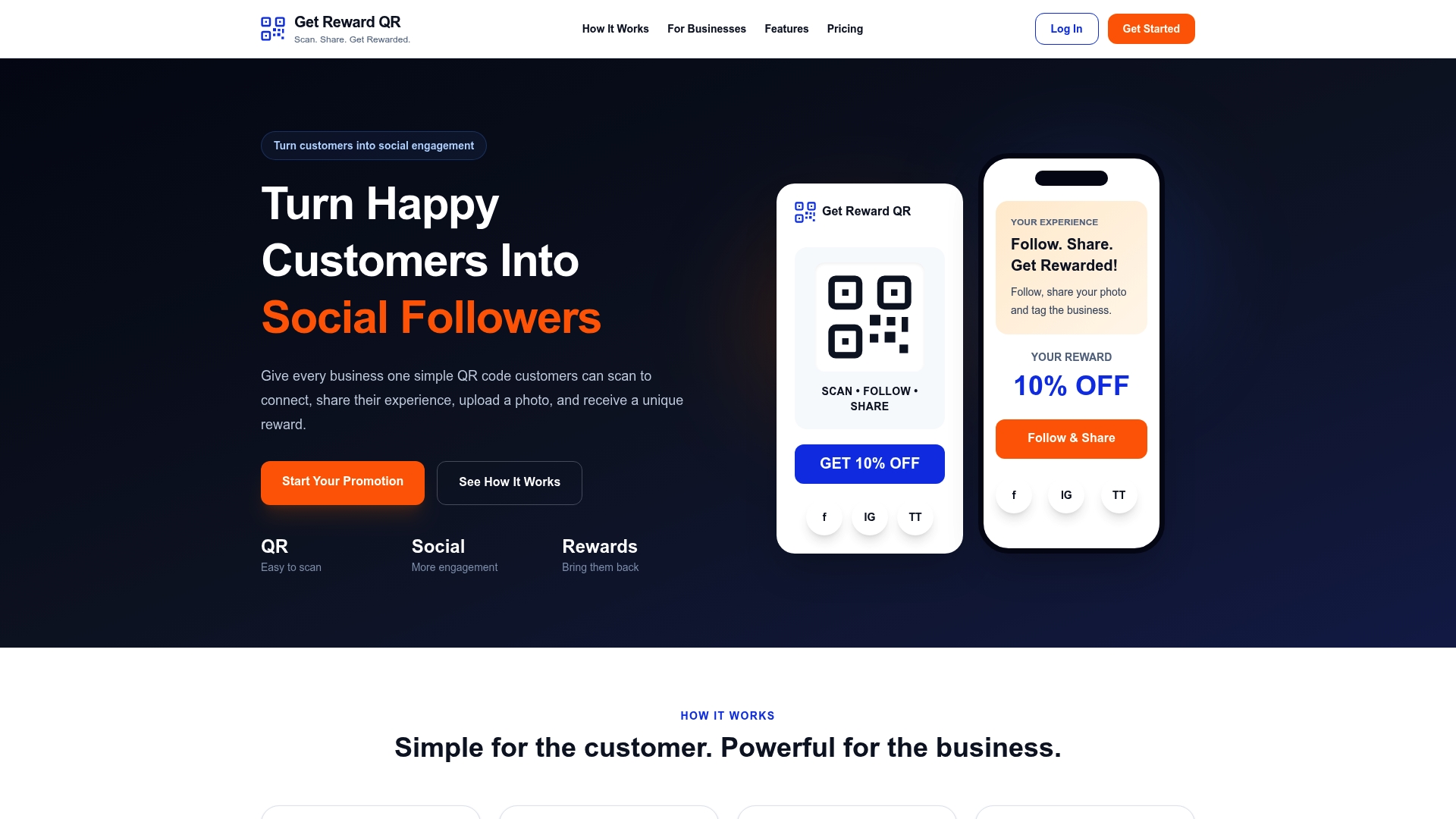
With our platform, you get a QR-first upload flow customers can use the moment they scan, no app required, along with built-in social steps, single-use coupon generation, universal POS compatibility for coupon redemption, and campaign analytics to track submissions, redemptions, and repeat visits.
If you want a head start, our birthday rewards template and QR loyalty pilot guide both show adaptable flows. When you’re ready to launch, check our pricing page for the Monthly plan at $19.99 per month or the Annual plan at $199 per year, and start your first campaign today.

FAQ
What is a customer photo contest?
A customer photo contest is a promotion where a business asks customers to submit photos, often through a QR code, hashtag, or upload form, in exchange for a prize or reward. Local businesses use them to generate social proof, grow their following, and bring customers back for a second visit.
How long should a customer photo contest run?
Most local businesses see the best results with a contest length of one to four weeks, long enough to build momentum but short enough to keep urgency. A mid-campaign reminder post helps sustain entries through the middle stretch.
Do I need a hashtag for an Instagram photo contest?
A branded hashtag helps you track entries and encourages sharing, but FTC guidance recommends including a word like “contest” in the hashtag itself so the incentive is clear to anyone who sees the post. A QR-based upload flow can serve as your primary entry method with the hashtag as a secondary sharing tool.
What legal rules apply to a customer photo contest?
You should disclose that entries are incentivized, since the FTC treats incentivized submissions as endorsements requiring clear disclosure. Your contest terms should also include a license clause granting you permission to use submitted photos, and you should reconfirm permission before using any specific photo in paid advertising.
How does Get Reward QR help run a photo contest?
Get Reward QR lets customers scan a QR code to upload a photo, follow your social accounts, and receive a coupon instantly, all without downloading an app. Businesses can manage redemption at checkout through universal POS mode.
Sources
- FTC’s Endorsement Guides: What People Are Asking
- Circular 16A: How to Obtain Permission
- UGC legal risks and compliance: A 2026 guide