From $19.99/Month: Dynamic vs Static QR for Local Business Campaigns
From $19.99/Month: Dynamic vs Static QR for Local Business Campaigns

For almost any marketing campaign or operational rollout, choose a dynamic QR code; reach for a static QR code only when the payload is permanent and offline, like Wi-Fi credentials or a fixed vCard. The trade-off comes down to this: dynamic codes cost a bit more and depend on a platform staying online, but they let you edit the destination, track every scan, and fix mistakes without reprinting anything. Static codes skip all of that in exchange for zero ongoing dependency. The rest of this guide shows you how to pick correctly and how to check which type you already have.
TL;DR:
- Dynamic QR codes are better suited for campaigns with a limited lifespan, as they can be edited, tracked, and paused anytime, unlike static codes.
- Static QR codes are ideal for permanent information like Wi-Fi passwords, contact vCards, and engraved signage, but they require reprinting if the destination changes.
- Most businesses should default to dynamic codes unless they have strict compliance or sovereignty concerns or need an unchangeable payload lasting decades.
- Testing redirect behavior on multiple devices before large-scale printing prevents issues caused by older camera handling or URL redirects.
- Static codes cannot be converted into dynamic ones, so companies should carefully validate the intended use case and cost implications before choosing.
Table of Contents
- How Dynamic QR Codes Work for Marketing and Operations
- Static QR Codes: Simple, Permanent, and Sometimes Exactly Right
- Static vs Dynamic QR Comparison: The Core Differences at a Glance
- Choosing the Right QR Type: A Practical Checklist
- How to Tell if a QR Code Is Static or Dynamic
- Rules of Thumb Worth Remembering
- How Get Reward QR Puts Dynamic QR Codes to Work for Local Businesses
- Sources
- FAQ
How Dynamic QR Codes Work for Marketing and Operations
A dynamic QR code doesn’t encode your landing page directly. It encodes a short redirect link that points to a platform, which then forwards the scanner to whatever destination you’ve set. Change that destination tomorrow, and every code you printed last month still works, just pointing somewhere new. This single design choice is what turns a printed QR code into a live data source instead of a static image, which is why marketers default to dynamic for anything with a lifecycle.
That redirect layer is also where the useful stuff happens:
- Scan analytics: total scans, timing, device and OS breakdowns, approximate location, and unique versus repeat visitors.
- Smart routing: send mobile users to an app store, desktop users to a full site, or route by geography and time of day.
- Campaign controls: set expiry dates, password-protect a destination, pause a code mid-run, or revoke it entirely from a dashboard.
- Attribution: dynamic codes support UTM parameters, so a scan can be tied directly to a conversion event in your analytics stack.
Most platforms also support branded short domains, A/B testing, and version history, which matters if you’re running the same physical sign across multiple locations but want different offers at each one.
The catch is dependency. Your QR code only works as long as the platform behind it does, so check uptime history and whether you can export your scan data before you commit.
Pro Tip: Before printing at scale, test the actual redirect chain on three different phones, not just your own. Some older Android cameras handle short-domain redirects differently than iOS, and you don’t want to discover that after 5,000 flyers are already at the printer.
Static QR Codes: Simple, Permanent, and Sometimes Exactly Right
A static QR code has no middleman. The final destination, whether it’s a URL, Wi-Fi password, a vCard, or plain text, is baked directly into the black-and-white pattern itself. There’s no server call, no redirect, no account to log into.
That simplicity is the whole appeal. A static code never expires, never depends on a company staying in business, and never breaks because a subscription lapsed. It also means there’s no scan tracking of any kind and no way to fix a typo after the code is printed.
Static codes make the most sense for:
- Wi-Fi network credentials on a router or in a rental unit.
- A permanent vCard on a business card or office directory sign.
- Cryptographic payloads or authentication strings that need to stay fixed.
- Museum plaques, historical markers, or engraved plates meant to outlast any vendor relationship.
The limitation for marketing use is straightforward: static codes remain the right call mainly when you need zero third-party redirect dependency, for compliance, longevity, or sovereignty reasons. But you get no scan-to-outcome data, and one wrong character in the URL means every printed copy is dead on arrival.
Static vs Dynamic QR Comparison: The Core Differences at a Glance
| Feature | Static QR | Dynamic QR |
|---|---|---|
| Editability after print | No, fixed forever | Yes, change anytime |
| Analytics and tracking | None | Scan counts, device, location, timing |
| Smart routing | Not possible | Time, geo, and device-based redirects |
| Reprint required if destination changes | Always | Never |
| Typical cost model | One-time, free to generate | Recurring subscription or per-code fee |
| Best use cases | Wi-Fi, vCards, permanent signage | Campaigns, menus, multi-location marketing |
The reprint row is the one that quietly costs businesses the most money. A single typo or a rebrand on a static code means reordering signage, and if that code is on 200 table tents or a storefront window decal, that mistake gets expensive fast.
Break-even reality: once you factor in the price of even one reprint run plus the value of knowing which scans actually converted, the lifecycle cost often tips in favor of dynamic, especially for any code used in more than one physical location or printed in volume above a few hundred units.
Choosing the Right QR Type: A Practical Checklist
Run through these five questions before you generate anything:
- How long does this code need to live? Days or weeks, favor dynamic; decades, static is fine.
- How many units are you printing? A single sticker on a door is low risk either way. A run of thousands on packaging or menus raises the cost of any mistake.
- Do you need to know who scanned it, and when? If yes, that’s a dynamic requirement, full stop.
- Are there compliance or sovereignty concerns? Some regulated industries prefer static specifically to avoid a third-party redirect touching customer data.
- What’s your budget tolerance for a recurring fee versus a one-time reprint?
If you land on dynamic, set it up this way: pick a platform, configure a branded short domain so the link doesn’t look suspicious to scanners, build your UTM rules before launch, test the full redirect and fallback on at least two device types, and set expiry or pause rules so old campaigns don’t quietly keep collecting scans.
If static is the right call: validate the final URL twice, test it across an iPhone and an Android device, and print a short fallback text line under the code in case a scanner fails.
Pro Tip: A menu that changes seasonally is almost always a dynamic use case in disguise. Business owners default to static because “it’s just a menu,” then reprint the same table tents four times a year without realizing a $20-a-month dynamic plan would have paid for itself after the second reprint.

How to Tell if a QR Code Is Static or Dynamic
You can figure this out in under a minute with almost any code:
- Scan it and look at the opened URL. A short, branded, or generic-looking domain (think a link shortener style address) usually signals dynamic. A long, specific destination URL usually signals static.
- Check for UTM parameters or an intermediate branded page before the final destination loads, both are dynamic tells.
- Run it through a desktop redirect-trace tool or check your browser’s network inspector for a 301 or 302 redirect hop. A static code goes straight to the destination with no hop.
- If it turns out to be static and you need dynamic behavior, you’re out of luck editing it. Static codes can’t be converted into dynamic ones; you’ll need to generate a new dynamic code and plan a reprint.
Rules of Thumb Worth Remembering
Default to dynamic for anything printed and distributed, especially if it has a shelf life or needs measurement. Don’t assume static saves money long term. Factor reprint risk and lost attribution, and the math often flips. Always test printed samples at final size and under real lighting, and make sure any branded short domain looks trustworthy enough that people won’t hesitate to scan it.
— Arturo
How Get Reward QR Puts Dynamic QR Codes to Work for Local Businesses
If you run a restaurant, gym, or salon and you’re weighing whether a dynamic QR setup is worth the subscription, the real question is what happens after the scan. Get Reward QR turns that scan into a full engagement loop: customers follow your social profiles, upload and tag photos, and unlock single-use coupons, all without downloading an app.
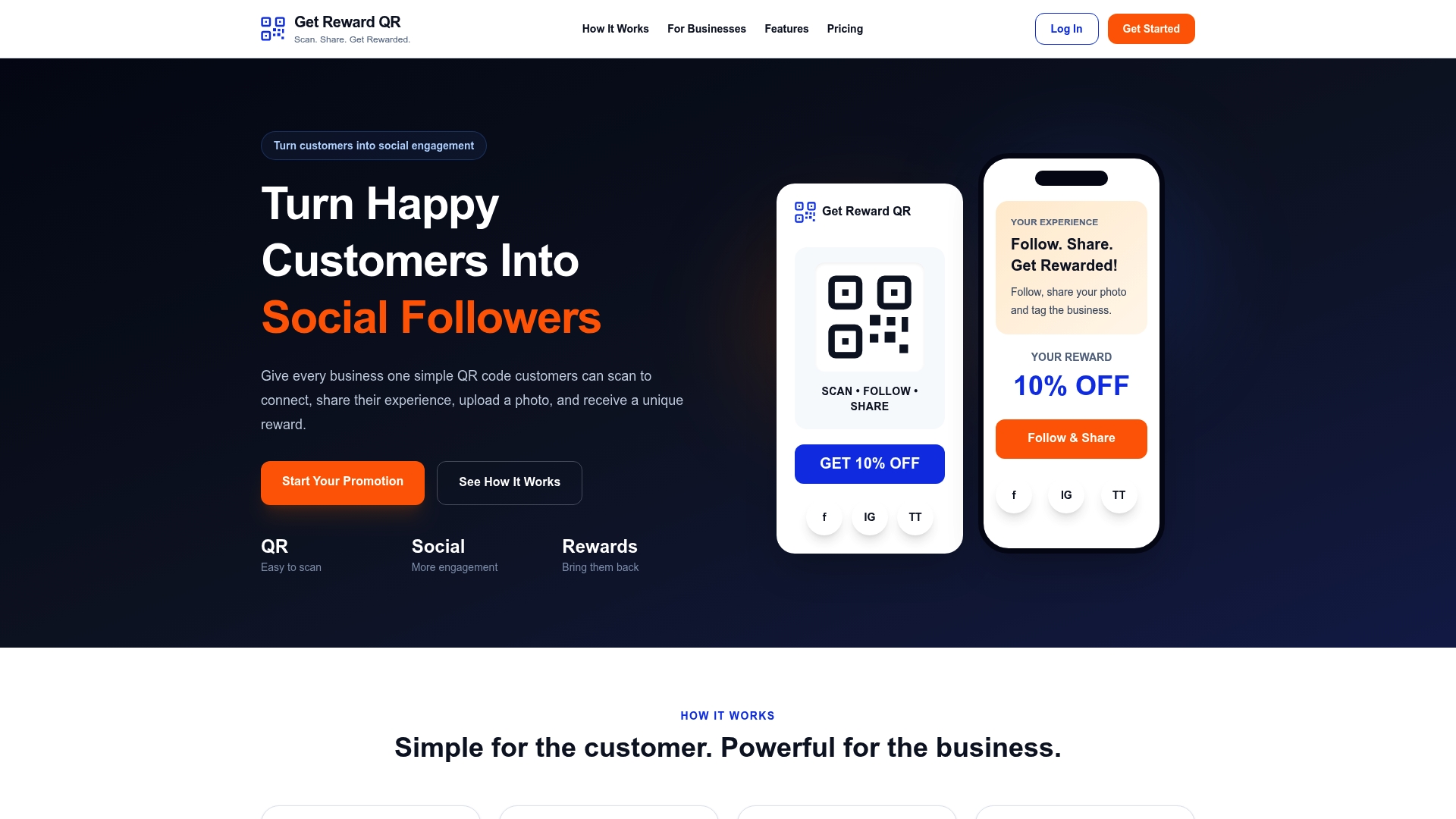
The platform runs on the same dynamic QR principles covered above: campaign analytics tell you what’s actually working, staff can redeem coupons through a universal POS mode at checkout, and every campaign stays fully branded to your business. That’s the dynamic advantage in practice, not just theory. If you want a partner resource on why customer acquisition tools sometimes underperform, Save Your App breaks down common growth traps worth avoiding alongside your QR strategy.
Plans start at $19.99 a month or $199 a year, with a free trial to test a campaign before committing. If a scan-driven loyalty loop sounds like what your storefront is missing, start there.
Sources
- Dynamic vs Static QR Codes for Analytics | Rebrandly
- Static vs Dynamic QR codes | Jotform Blog
- Dynamic vs Static QR Code: The Complete 2026 Comparison | Dynamic QR Code Labs
- What is the difference between a static and dynamic QR code? | Delivr
FAQ
What Is the Difference Between Dynamic and Static QR Codes?
A static QR code has the final destination permanently embedded in the pattern, while a dynamic QR code encodes a short redirect link you can edit anytime. Dynamic codes also support scan tracking; static codes don’t.
How Do I Find Out if a QR Code Is Static or Dynamic?
Scan it and check the resulting URL. A short, branded, or generic-looking domain with a redirect hop signals dynamic, while a long destination URL with no redirect signals static. A browser’s network inspector or a redirect-trace tool confirms it instantly.
What Are the Benefits of Static QR Codes?
Static codes never expire, never depend on a third-party platform staying online, and cost nothing ongoing once generated. They’re the right fit for permanent payloads like Wi-Fi credentials or fixed contact cards where no tracking is needed.
Can a Static QR Code Be Converted to Dynamic?
No. Static codes can’t be edited or converted once generated, so switching to dynamic behavior means creating a new code and replacing every printed copy.
How Much Does Get Reward QR Cost?
Get Reward QR offers a Monthly plan at $19.99 per month and an Annual plan at $199 per year, both with a free trial to test a reward campaign first.