Ecommerce: Stop Coupon Sharing With Single Use Coupon Codes, Platforms + QR
Ecommerce: Stop Coupon Sharing With Single Use Coupon Codes, Platforms + QR

A single-use coupon code is a discount string that can be redeemed only once, either by one customer or across the entire customer base, giving merchants deterministic tracking and far less exposure to sharing and fraud than a static, reusable code. Platforms like Shopify, Klaviyo, and WooCommerce all support some version of this, but the settings and limits differ enough to trip up anyone launching a campaign for the first time.
TL;DR:
- Generating unique, single-use codes ensures precise attribution, reduces fraud, and maintains a clear audit trail compared to static codes shared on forums.
- Most platforms support batch creation of personalized codes but require careful management of batch size, expiration, and distribution methods to maximize effectiveness.
- Using codes that are tied to individual customers or actions can significantly improve response rates and engagement, especially for loyalty or winback campaigns.
- Server-side validation and redemption logging are essential to prevent abuse and maintain accurate tracking, as heuristic or IP-based checks are increasingly unreliable.
- Building a streamlined, app-free redemption process with QR codes or direct URL links can simplify user experience and boost conversion in local or mobile campaigns.
Table of Contents
- One-per-customer versus one-total-use: two different codes
- Why merchants use single-use codes
- How to create single-use codes on Shopify, Klaviyo, and WooCommerce
- Getting unique codes into customers’ hands
- Tracking redemptions without losing the trail
- Preventing abuse within platform limits
- A practical checklist before you launch
- Example flow: issuing single-use rewards through a QR code
- What merchants get wrong about single-use codes
- Turning single-use codes into a no-app reward system
- Sources
- FAQ
One-per-customer versus one-total-use: two different codes
“Single use” gets used loosely, and that looseness causes real bugs in campaigns. There are two distinct behaviors hiding under the same phrase, and mixing them up leads to either angry customers or a code that gets shared on a coupon forum within hours.

The first meaning is one-per-customer: each shopper can redeem the code exactly once, but many different shoppers can use it. A welcome discount sent to every new subscriber works this way. The second meaning is one-total-use: the code works exactly one time, period, regardless of who redeems it. A single VIP invite or a giveaway prize typically needs this stricter version.
Platforms enforce the two modes differently:
- Usage-per-customer limits cap redemptions per account or email address while leaving the code technically reusable by others.
- Total usage limits cap the code at a fixed number of redemptions across all customers, often set to one.
- Unique tokens sidestep the ambiguity entirely by generating a separate code per recipient, so there is nothing to share.
For most acquisition or winback campaigns, unique tokens are the safer default. They cost more to generate and track, but they remove the guesswork around what “single use” actually restricts.
Why merchants use single-use codes
The complexity of generating unique codes pays for itself in a few concrete ways. Personalization is the most visible one: a code tied to a specific customer feels like a direct offer rather than a mass promotion, which tends to lift response rates on winback and loyalty sends. Urgency follows naturally, since a code that expires or disappears after one redemption reads as genuinely limited rather than perpetually available.
The less visible payoff is attribution. Because each code maps to one recipient or one campaign batch, a redemption tells you exactly which email, SMS, or QR touchpoint drove the sale, without relying on click tracking or cookies that may not survive privacy restrictions.
- Fraud reduction: a shared static code circulating on a deal site can cost thousands in unintended discounts; a single-use token cannot be reused once claimed.
- Clean audit trails: finance and support teams can trace a single redemption back to a specific order and customer without ambiguity.
- Targeted remediation: a shipping-delay apology code sent only to affected customers avoids leaking the discount to unaffected shoppers.
Pro Tip: Reserve one-total-use codes for high-value, low-volume situations like VIP invites, and default to per-customer limits for everything sent at scale.
How to create single-use codes on Shopify, Klaviyo, and WooCommerce
Each major platform handles unique code generation a little differently, and the right method depends on your volume and how much control you need over format.
- Shopify: In the discounts section, choose a code-based discount and set “Limit to one use per customer” or a specific total usage cap. For bulk personalization, use Shopify’s bulk unique code generation, which lets you create large batches automatically named with a prefix you choose. Shopify’s documentation confirms that usage limits, one-use-per-customer settings, and a cumulative cap of 20,000,000 unique discount codes per store are all supported, which matters if you’re running several large campaigns in parallel.
- Klaviyo: Klaviyo connects to Shopify’s coupon engine to generate unique codes for both flows and campaigns. For flows, codes generate automatically as each customer reaches that step and replenish as the pool runs low. For campaigns, you generate the full batch ahead of to send and insert the codes using coupon personalization variables, since campaign codes are not created on the fly. According to Klaviyo’s help documentation, previewing a campaign before sending can consume codes from the pool, so generate a larger batch than your subscriber count to avoid running short.
- WooCommerce: The native coupon editor includes a usage-limit field that can be set to one per coupon, but it does not natively lock a code to a specific email. For that, WPBeginner’s WooCommerce guide recommends the Advanced Coupons plugin, which adds email-restricted and role-restricted single-use codes along with bulk generation tools.
- API or CSV import: When you need codes to follow a custom format, integrate with a loyalty system, or exceed what a platform’s native tool generates comfortably, importing a CSV of pre-generated codes or calling a discount API directly gives you full control over prefixes, batch size, and expiration logic.
Getting unique codes into customers’ hands
Generating the codes is only half the job. Getting the right code to the right person, in a format they can actually redeem, is where a lot of campaigns lose conversions.
- Email and SMS personalization tags pull each recipient’s unique code into the message template automatically, which avoids manual list matching and typos.
- Auto-apply coupon URLs append the code to a checkout link so customers never have to type or paste anything, cutting drop-off from copy errors.
- Forms and gated content can reveal a code only after a customer completes an action, like a signup or a social follow, which ties the discount to a specific engagement step.
- App Store one-time offer codes, as described in Apple’s developer documentation, follow a different redemption path entirely since they are scoped to in-app purchases and issued in fixed batch sizes rather than through email or SMS.
- Fallback codes should be ready in advance for the moment a generated batch runs out mid-campaign, so support teams have something valid to offer instead of leaving a customer empty-handed.
Tracking redemptions without losing the trail
A unique code is only useful for reporting if you capture the right data at the moment of redemption. At minimum, log the code itself, the resulting order ID, a redeemer identifier when one is available, a timestamp, and the campaign prefix that generated the batch. That combination lets finance reconcile discount spend against actual orders instead of estimating it from aggregate reports.
- Deterministic attribution: a token that maps to one recipient tells you exactly which send drove a purchase, with no modeling required.
- Exportable redemption logs: pulling this data into a spreadsheet or BI tool lets you reconcile discounts against revenue at the campaign level.
- Immutable records: treating the redemption log as append-only protects it from accidental edits during later audits.
Cookie and IP-based tracking has gotten less reliable as browsers restrict third-party cookies and users route through VPNs, which is part of why platforms increasingly favor server-side, token-based validation over heuristic matching for anything tied to a discount.
Preventing abuse within platform limits
Heuristic fraud checks based on IP address or device fingerprint break down quickly once shared households, corporate networks, or VPNs enter the picture, which is why server-side single-use validation, checking whether a specific code has already been marked redeemed, remains the more reliable control. Oracle’s NetSuite documentation describes exactly this pattern: codes are flagged as redeemed in the system, and API checks confirm status before an order completes.
- Shared-household exceptions need a manual override path, since a strict one-per-customer rule can block a legitimate second shopper on the same account.
- Platform quotas matter at scale: Shopify caps stores at a cumulative 20,000,000 unique discount codes, which sounds generous but can get consumed faster than expected across several long-running campaigns.
- Batch replenishment should happen automatically before a pool runs dry, not after support tickets start arriving.
Pro Tip: Build a low-stock alert into your code generation workflow so a batch never runs out mid-send without anyone noticing.
A practical checklist before you launch
A few decisions made upfront save most of the support tickets later.
- Pick a code length of roughly eight to twelve characters, long enough to avoid collisions, short enough to type without errors.
- Add a short campaign prefix so support staff can identify a code’s origin at a glance.
- Generate batches larger than your expected audience to cover previews, retries, and fallback needs.
- Write expiry and redemption instructions in plain language in the message itself, not just in fine print.
- Set a support playbook for expired, already-redeemed, or mismatched codes before the campaign goes live.
| KPI | What it tells you |
|---|---|
| Redemption rate | Share of issued codes actually used |
| Time to redemption | How quickly customers act after receiving a code |
| Revenue per redemption | Average order value tied to the discount |
| Support tickets per campaign | How much friction the code format or delivery caused |
Example flow: issuing single-use rewards through a QR code
A no-app approach illustrates how the pieces fit together outside of email and SMS. A customer scans a QR code at checkout or on a table card, completes a quick social task like following or sharing, and a unique token generates automatically and displays on their screen. Get Reward QR uses this pattern for local businesses running reward campaigns, delivering the code in the moment rather than through a separate app download.
- The token is single-use by design, so staff redeeming it at the register or point of sale know immediately whether it is valid.
- Because the code ties to one scan event, the redemption log doubles as an audit trail without extra tracking setup.
- Skipping an app removes the biggest friction point in mobile loyalty programs: getting someone to install something for a one-time discount.
What merchants get wrong about single-use codes
The most common mistake is treating “single use” as self-explanatory and picking a setting without checking whether it means per-customer or total-use, which usually surfaces only after a customer complains that a code “already used.” The second is under-generating a batch, forgetting that previews and retries eat into the pool before a single real customer sees the code. The third is leaning on IP or device checks for fraud prevention long after those signals stopped being reliable.
A workable policy: default to per-customer limits unless the offer specifically calls for scarcity, generate batches at least 20% larger than your audience, and validate redemption status server-side rather than through heuristics.
— Arturo
Turning single-use codes into a no-app reward system
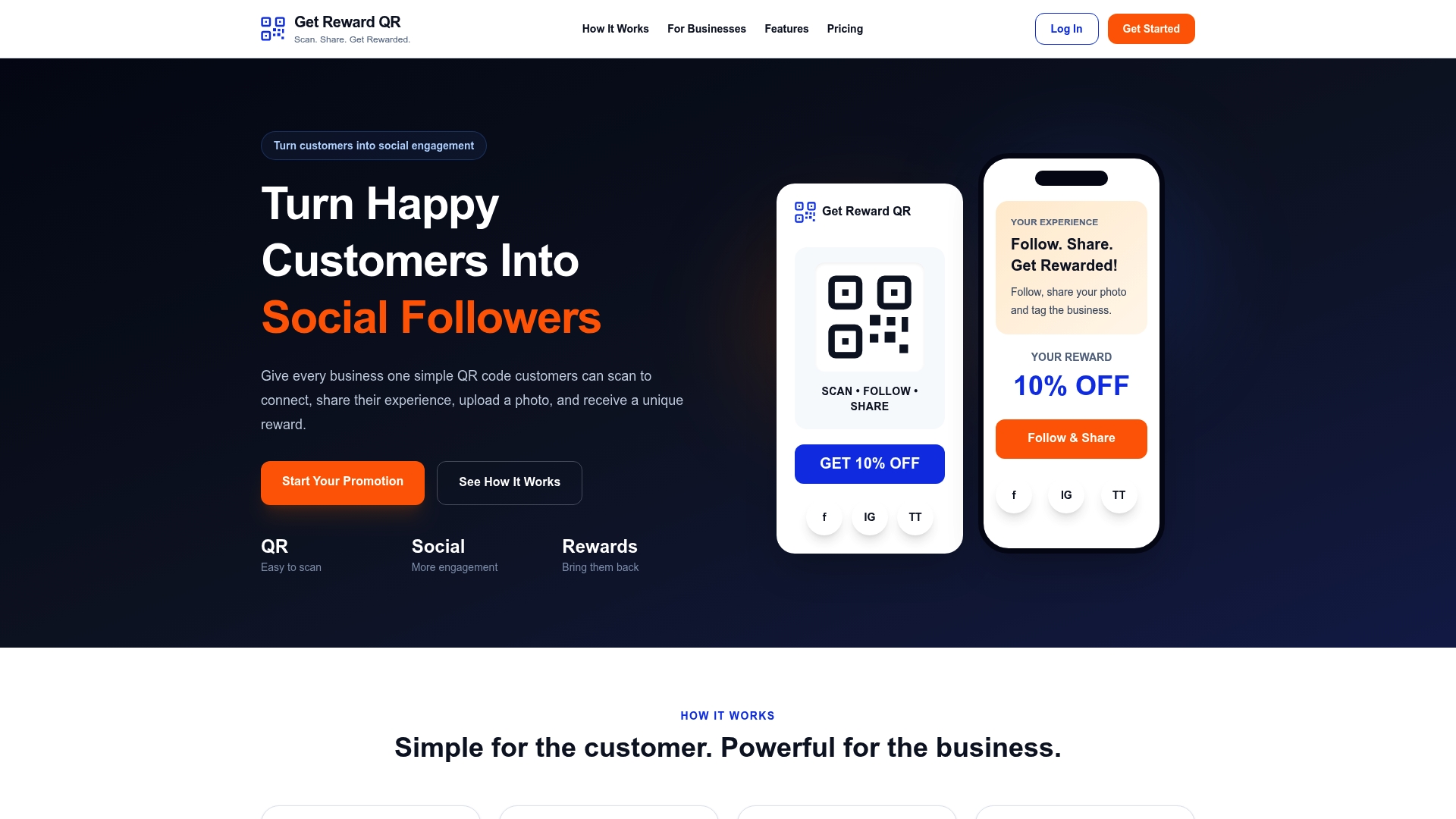
Building and tracking unique codes by hand across email, SMS, and in-store redemption gets tedious fast, especially for a local business without a dedicated marketing team. Get Reward QR handles the generation and delivery side through a QR-first flow that skips the app download entirely.
- Customers scan, complete a quick social step, and receive a single-use code on the spot.
- Staff redeem codes through a universal point-of-sale mode, so there is no new hardware or software to learn.
- Campaign analytics track redemptions automatically, giving you the same audit trail described above without manual spreadsheet work.
Plans start at $19.99 per month or $199 per year, and you can review both options before signing up.
Sources
- Shopify Help Center | Discount codes
- How to create unique coupon codes for Shopify | Klaviyo Help Center
- How to Create One-Time Personalized Coupon Codes in WooCommerce
- Create offer codes for In-App Purchases - Apple Developer
- NetSuite single-use coupon documentation
FAQ
How do I find a valid coupon code?
Check the retailer’s own email, SMS, or account page first, since single-use codes are usually tied to a specific recipient and won’t work if copied from a public coupon site. If a code from a third-party site fails, it has likely already been redeemed by someone else.
What is a single use coupon?
A single-use coupon is a discount code that can only be redeemed one time, either by one customer or across the entire customer base depending on how the merchant configures it. Platforms like Shopify enforce this through per-customer limits, total usage caps, or unique generated tokens.
What is the GIMME10 code?
This is not a code that Get Reward QR or the platforms referenced in this guide document or issue, so there is no verified definition to give. Treat any specific promotional code you see elsewhere as retailer-specific and confirm it directly through that retailer’s own channels.
What is the TRIPLE20 promo code?
As with other specific promotional codes circulating online, this one is not documented by the platforms or sources covered here. Single-use and limited-use codes like this are typically issued by individual retailers for a specific campaign, so check that retailer’s official site or marketing emails for validity.