QR Landing Pages for Marketers: No App Rewards, 3 Templates, Security
QR Landing Pages for Marketers: No App Rewards, 3 Templates, Security

A QR landing page is the mobile web page a customer lands on after scanning a code, and the single rule that decides whether it works is message match paired with one clear call to action. The headline and offer on that page need to mirror whatever prompted the scan, whether that’s a flyer, a table tent, or a receipt. Dynamic QR codes let you edit the destination and track scans after printing, which static codes cannot do.
TL;DR:
- Using dynamic QR codes is essential for campaigns that require offer updates or measuring scan data over time.
- Ensuring message match and quick loading speeds on a mobile-first design significantly improves conversion rates.
- Testing print scans from real-world distances and lighting conditions prevents costly errors in live campaigns.
- Scripts should focus on one clear goal, with minimal forms and thumb-friendly CTAs placed in accessible screen locations.
- Protect campaigns by avoiding asking for login information and verifying printed codes to prevent QR fraud risks.
Table of Contents
- How do you build and test a QR landing page?
- Mobile design rules that cut friction and lift conversion
- What content and CTA copy actually convert
- Choosing dynamic QR codes, short URLs, and hosting
- What to measure and how scans connect to conversions
- Keeping QR campaigns secure and customer data private
- Three ready-to-adapt templates for common campaigns
- Why QR landing pages matter most for local retention
- A managed option if you’d rather skip the DIY build
- Sources
- FAQ
How do you build and test a QR landing page?
Building a page that converts starts with a goal, not a template. Pick one conversion metric before you open a design tool: coupon redemption, event sign-up, or a menu view. Trying to serve three goals on one page usually means none of them land.
From there, the process follows a predictable order.
- Define the goal and the single metric you will use to judge success, such as coupons redeemed or forms submitted.
- Choose a mobile-first template and strip out navigation menus, footers, and anything that isn’t the offer itself.
- Write one headline, one short offer line, and one CTA button, keeping any form down to the minimum fields needed.
- Create a short URL and generate a dynamic QR code, adding UTM parameters so scans show up correctly in analytics.
- Test on several real phones across different carriers, not just an emulator or Wi-Fi in the office.
- Print a physical test copy and scan it from the distance customers will actually use, whether that’s a countertop or a bus shelter poster.
Skipping the print test is the most common mistake. A code that scans cleanly on a laptop screen can fail at the size and lighting of a real flyer, so print a sample before the full run goes out.
Mobile design rules that cut friction and lift conversion
Every design choice on a QR landing page should answer one question: does this get in the way of the offer? Most friction comes from pages that were designed for desktop first and shrunk down afterward.
- Message match: the headline and hero image should echo the exact words and visuals on the physical prompt that triggered the scan.
- Speed over polish: compress images and skip carousels or slider elements on mobile, since they slow load time without adding value.
- Thumb-reach CTAs: keep the primary button in the bottom third of the screen or make it sticky so it’s always visible.
- Minimal forms: ask for one field at a time, or better, use a one-tap action like “Call Now” or “Add to Calendar” instead of a form.
- Light social proof: a couple of small logos or one short testimonial builds trust without adding scroll, and a one-line privacy note reassures anyone hesitant to enter details.
Pro Tip: Set your hero image and headline as static assets you can swap without redesigning the page, so seasonal offers only require an edit, not a rebuild.
What content and CTA copy actually convert
The words on the page should feel like a continuation of whatever the customer just read on the flyer or table card, not a new pitch.
- Match the physical prompt’s language directly: if the poster says “Free coffee with any pastry,” the headline repeats that offer word for word.
- Choose the right redemption flow: a coupon code works for takeout or online orders, while immediate staff redemption (show your phone screen at the register) works better for in-person visits.
- Keep multimedia light: a short video or a single optimized image can help, but defer anything heavy until after the core offer has loaded.
- Add simple microcopy: a line explaining what happens next (“Show this screen to staff to redeem”) plus a short privacy note removes hesitation.
Choosing dynamic QR codes, short URLs, and hosting
The technical setup decides whether a printed code stays useful after the first batch runs out. A static QR code encodes the destination permanently, so any change to the offer means reprinting every code. A dynamic QR code points to a redirect you control, which means the destination URL and the offer behind it can change without touching the printed material.
- Use dynamic codes for anything that might change: seasonal promotions, A/B tests, or campaigns you need to measure by scan.
- Reserve static codes for permanent destinations, like a restaurant’s main menu page that rarely moves.
- Serve pages over HTTPS on a short, brand-recognizable domain, since a trusted-looking URL reduces hesitation before scanning.
- Append UTM parameters or use redirect rules so scan traffic shows up correctly in analytics instead of blending into direct traffic.
- Watch for deep-link quirks: some phones open QR links inside an in-app browser, which can affect how forms and payment fields behave.
- Host on a fast platform: a page that loads slowly on mobile data undoes every design decision made to reduce friction.
What to measure and how scans connect to conversions
A scan is not a conversion. The gap between the two numbers is where most QR campaigns either prove their worth or quietly fail.
- Track scan-level metrics: total scans, unique scanners, location, device type, and time of day, all available through dynamic QR analytics.
- Track page-level metrics: bounce rate and conversion rate, measured against the single goal set at the start of the campaign.
- Connect the two datasets: UTM parameters tied to each dynamic code let you match a scan to a session in GA4 or an equivalent analytics tool.
- Forward conversions to a CRM when the goal involves a lead or sign-up, so the campaign’s value shows up beyond raw scan counts.
- Change one variable at a time: test a single CTA wording or offer change per print run so you know which edit moved the numbers.
Keeping QR campaigns secure and customer data private
QR codes carry a real security risk that marketers need to plan around, not just a novelty gimmick. The FBI has warned that malicious QR codes are used in spearphishing campaigns, recommending that people avoid unsolicited codes and stay suspicious of any code asking for login credentials. Separately, the bureau has flagged that unsolicited packages containing QR codes have been used to initiate fraud schemes, a pattern worth knowing if your business ever mails printed materials to customers.
Documented quishing operations have routed victims to mobile-optimized credential-harvesting pages, according to FBI reporting on Kimsuky-linked spearphishing activity, which recommends layered defenses including staff training and device controls.
- Never ask for a password or login on a QR landing page, since that pattern mirrors the exact scam the FBI describes.
- Place your business name or a short URL next to the printed code so customers can confirm it’s legitimate before scanning.
- Check printed codes periodically for tampering, since a sticker placed over a legitimate code is a known attack method.
- Collect only what you need: skip fields like full addresses or birthdates unless the campaign truly requires them, and say plainly how the data will be used.
Guidance aimed at email-based QR phishing, hosted by NIST, makes the same point: awareness plus basic technical checks go a long way toward cutting credential-harvesting risk.
Three ready-to-adapt templates for common campaigns
Most local-business QR campaigns fall into one of three shapes. Adapting one of these outlines is faster than starting from a blank page.
- Coupon template: headline repeats the printed offer, one CTA button reading “Show This Screen to Redeem,” and a line noting staff will apply the discount at checkout.
- Event RSVP template: short headline naming the event, a two-field form (name and email), and an “Add to Calendar” button as the final action.
- Product info template: one product image, three or four bullet specs, and a single CTA reading either “Buy Now” or “Learn More” depending on the funnel stage.
Before printing any of these at scale, run a scan test checklist: confirm the code scans from the intended distance, check it under the lighting where it will actually be displayed, and inspect for tampering if the code will sit in a public space for weeks.
Why QR landing pages matter most for local retention
The best use of a QR landing page for a local business isn’t a one-time discount, it’s a repeat-visit loop. A gym, salon, or café that ties its QR page to a reward earns a second visit, not just a single redemption. Appless systems like Get Reward QR fit this pattern well: no download step means less friction between the scan and the reward. Test any reward campaign as a small pilot with one location or one shift before rolling it out everywhere.
— Arturo
A managed option if you’d rather skip the DIY build
Building and maintaining your own QR landing pages takes ongoing design and testing time, which not every small business has to spare. Get Reward QR runs entirely through QR codes, with no app download, and handles the pieces covered above so you don’t have to rebuild them yourself.
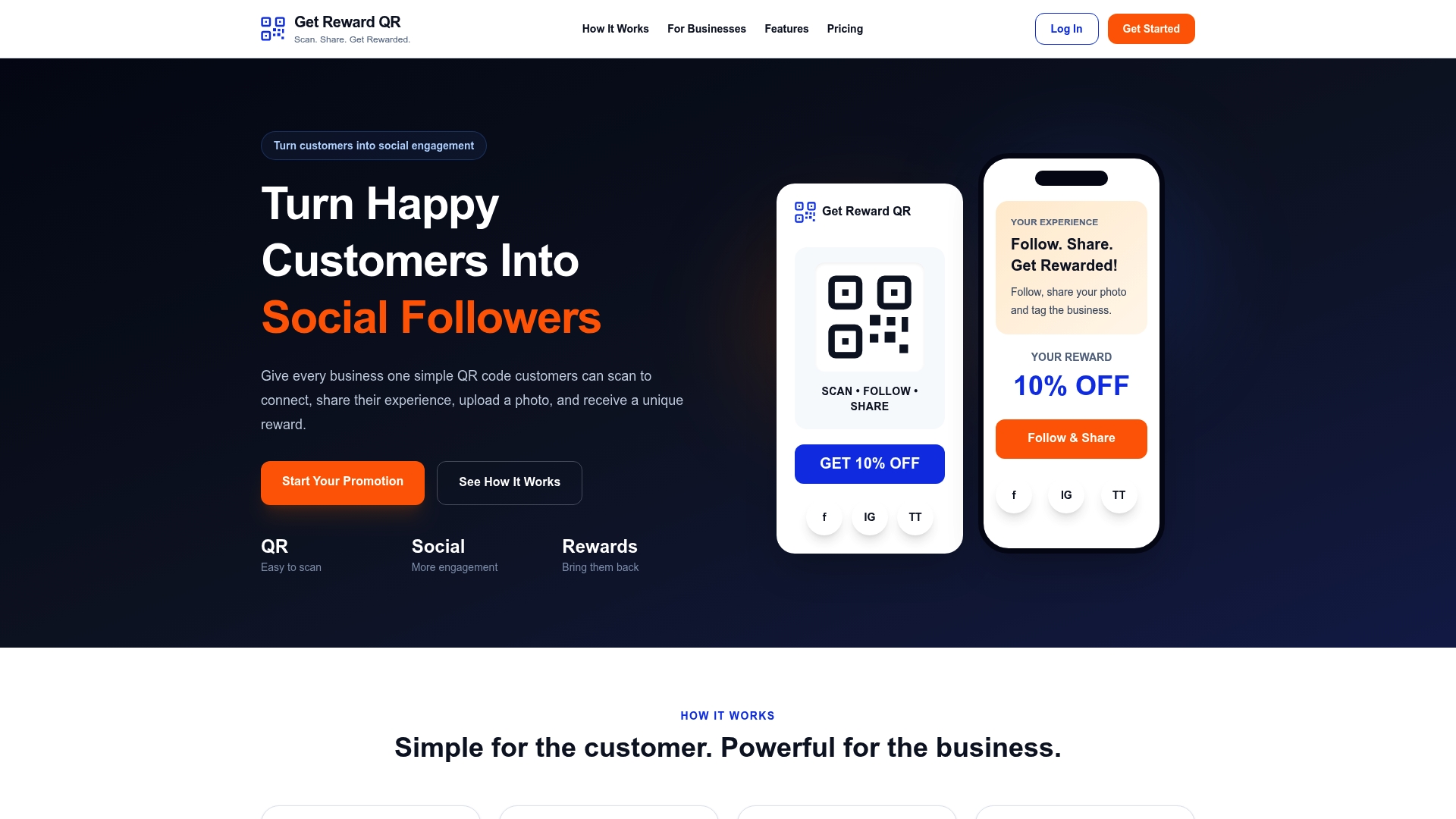
- Appless rewards: customers scan, follow your social steps, and redeem, with no app install required.
- Built-in engagement tools: photo uploads and tagging turn a scan into a shareable customer post.
- Staff redemption and analytics: single-use coupon codes, universal POS mode, and campaign-level reporting come built in.
A managed platform makes sense once you’re running campaigns across more than one location or don’t have a designer on staff to maintain pages. Check the Get Reward QR pricing page for Monthly and Annual plans to see which fits your rollout.
Sources
Security recommendations in this article draw on public advisories from the FBI and NIST-hosted guidance on QR-related phishing.
- FBI Tech Tuesday: Building a digital defense against QR code scams
- Microsoft QR code phishing emails (awareness newsletter attachment) — NIST-hosted document
FAQ
How do I make a landing page for a QR code?
Start by defining one goal and one conversion metric, then build a mobile-first page with a single headline, offer, and CTA that match whatever prompted the scan. Generate a dynamic QR code pointing to that page, test it on real phones, and print a sample to scan before wide distribution.
What is the FBI warning about QR codes?
The FBI has warned that malicious QR codes are used in spearphishing campaigns and recommends avoiding unsolicited codes and staying wary of any code that asks for login credentials. Separately, the bureau flagged unsolicited packages containing QR codes used in fraud schemes.
What is a good example of a QR landing page?
Coupon, event RSVP, and product info templates cover most common use cases for local businesses.
Can ChatGPT build a landing page?
ChatGPT can help draft headline copy, offer wording, and basic page structure for a QR landing page, but it doesn’t publish or host a live page on its own. You’ll still need a web builder or platform to turn that copy into a working, mobile-optimized page with a trackable dynamic QR code.