One Code per Placement: QR Code Tracking for Marketers
One Code per Placement: QR Code Tracking for Marketers
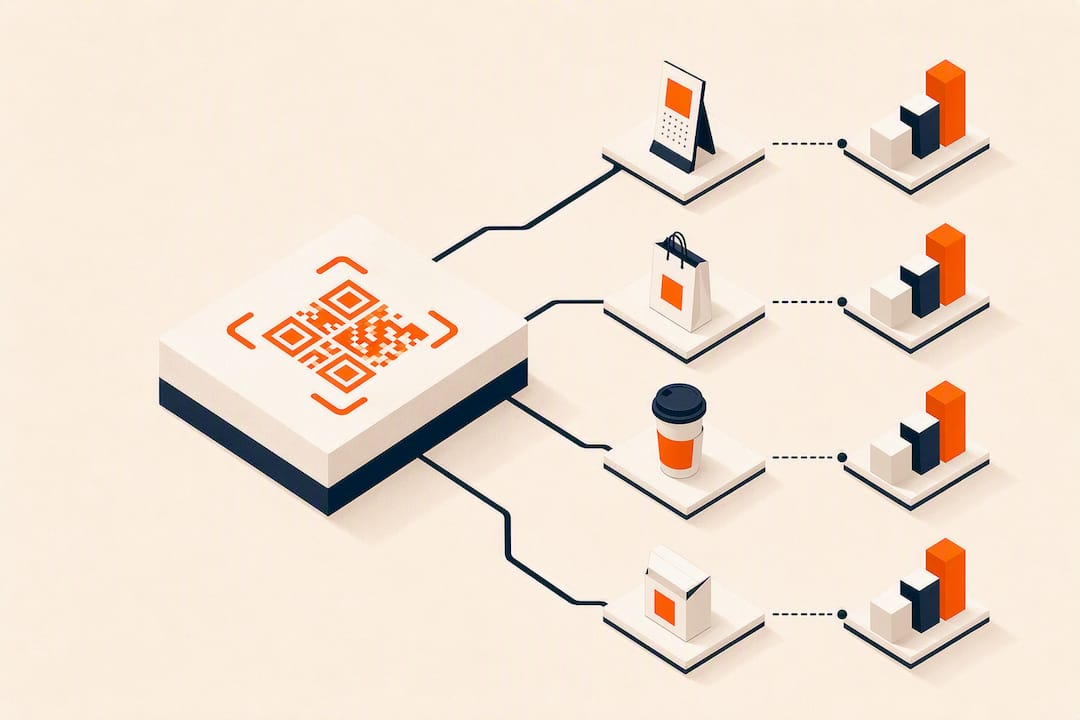
QR code tracking turns a physical scan into a measurable digital event, but only if you use a dynamic QR code that redirects through a trackable short link. The first move is simple: generate a dynamic code, tag the destination URL with UTM parameters, and test the redirect before printing anything. Do that correctly, and you can compare placements, gauge engagement, and feed retargeting lists with real scan data instead of guesses.
TL;DR:
- Dynamic QR codes are essential for tracking because they redirect through a server that logs scan data, unlike static codes which embed the final destination and cannot be monitored.
- The most relevant metrics include total versus unique scans, scan timing, location, device type, and campaign source tags, especially when UTM parameters are added before printing.
- Proper setup involves generating a dynamic QR code, tagging URLs with UTM parameters, testing the redirect, and scheduling data exports, with retention limits typically around 30 days on basic plans.
- Scan data should be compared across different placements and times to identify patterns, optimize timing, and reallocate efforts toward high-performing locations or moments.
- Location data is approximate, based on IP address, and scans are anonymous unless linked to other forms, so filtering bots and filtering noise remains critical for accurate insights.
Table of Contents
- What Is QR Code Tracking and How Does It Work?
- Which QR Scan Metrics Actually Matter?
- How Does QR Code Tracking Actually Function Behind the Scenes?
- How to Set Up a Trackable QR Campaign
- How to Read QR Scan Data and Improve Campaigns
- Connecting QR Scans to GA4, CSV, and API Workflows
- What Are the Privacy and Accuracy Limits of QR Tracking?
- How QR-Based Reward Campaigns Apply These Same Tracking Principles
- Get Reward QR: Trackable Reward Campaigns Without an App
- Sources
- FAQ
What Is QR Code Tracking and How Does It Work?
QR code tracking is the practice of logging every scan (timestamp, approximate location, device, referrer) by routing the code through a redirect you control, rather than encoding a fixed destination directly. That distinction is the whole game. A dynamic QR code points to a short link on a server that records the scan and then forwards the visitor to your real destination, which is why only dynamic codes can be tracked at all.
Static codes skip that middle step entirely. They embed the final URL, phone number, or Wi-Fi credential directly into the pixel pattern, so there is no server in between to log anything. If you print a static code and later decide you want scan counts, you are out of luck. The pattern itself would have to change, which means reprinting every poster, table tent, or sticker.
- Dynamic codes: editable destination, full scan analytics, small redirect dependency
- Static codes: permanent destination, zero tracking, no server dependency
- When static wins: safety instructions, warranty cards, or anything that must work offline forever
- When dynamic wins: any campaign, promotion, or placement you plan to measure or update
For most marketing use cases, that trade-off is not close. You lose almost nothing by going dynamic, and you gain the ability to answer the one question every campaign manager eventually asks: did anyone actually scan this?
Which QR Scan Metrics Actually Matter?
Not every number in a QR dashboard deserves your attention. A handful of metrics tell you almost everything useful.
- Total scans vs. unique scans: total scans count every tap, unique scans count distinct visitors. A big gap between the two usually means people are scanning repeatedly, which can signal confusion (they think it didn’t work) or genuine repeat engagement.
- Scan-over-time and time-of-day: this tells you when your audience is actually engaging, which matters for staffing a promotion or timing a push notification.
- Location breakdown: city and country data, typically derived from IP address rather than GPS, shows you where scans cluster.
- Device and OS split: iOS versus Android, mobile versus desktop, tells you whether your landing page is built for the right screen.
- Referrer and campaign tags: this is where UTM parameters earn their keep, letting you separate “flyer at the coffee shop” traffic from “poster at the gym.”
Pro Tip: Add your UTM tags to the destination URL before you send anything to print. Once a code is out in the world, you cannot retroactively tag traffic that already scanned it.
How Does QR Code Tracking Actually Function Behind the Scenes?
The mechanics are simpler than most people assume, but skipping a step breaks the whole chain. Here’s the flow, start to finish:
- Scan hits the redirect server. The phone camera reads the code, which points to a short link, not your final page. That server logs the timestamp, an IP-derived location estimate, device type, and referrer.
- UTM parameters ride along. If your destination URL includes
utm_source,utm_medium, andutm_campaign, Google Analytics 4 attributes that scan to a real campaign instead of lumping it into “direct” traffic, which is where untagged QR scans usually end up. - Bot and preview filtering kicks in. Messaging apps and email clients often “pre-scan” links to generate previews, which inflates raw counts. Good platforms filter that noise so your numbers reflect real humans.
- The visitor gets forwarded. All of this happens in a fraction of a second, then the person lands on your actual page, no worse for the detour.
- Data becomes exportable. From there, CSV export or an API connection pushes scan events into a CRM, a BI tool, or a shared report.
Skip the UTM step and you still get scan counts, just no campaign context in GA4. Skip bot filtering and your numbers look busier than reality.
How to Set Up a Trackable QR Campaign
Building a QR campaign you can actually measure takes maybe fifteen minutes per placement if you follow a fixed order.
- Generate a dynamic QR code, one per physical placement. A code on the front door and a code on the receipt should be two separate codes, even if they point to the same page.
- Tag the destination URL with UTM parameters before you print anything:
utm_source=flyer,utm_medium=print,utm_campaign=spring_promo, andutm_termorutm_contentif you want to distinguish two versions of the same flyer. - Test the redirect yourself. Scan the printed proof, confirm the event shows up in your vendor dashboard, then check that the same session appears in GA4 under the right campaign source.
- Pull a sample CSV export to confirm the fields you need (timestamp, location, device) are actually populating correctly.
- Schedule recurring exports and note your plan’s retention window. Some entry-level plans purge scan history after roughly 30 days, so back up your data before you downgrade or switch tiers.
Pro Tip: Print one test copy at actual size and scan it from across a room, not just from your desk. A code that scans fine on a screen sometimes fails at print resolution or under bad lighting, and you want to catch that before 500 flyers go up.
How to Read QR Scan Data and Improve Campaigns
Raw scan counts are close to useless on their own. What makes them useful is comparison.
- Run one code per placement, always. If the same code sits on a poster, a table tent, and a receipt, you’ll never know which one actually drove the scan. Separate codes turn a guess into a real answer.
- Compare placements against each other, not against an arbitrary target. “Placement A got 340 scans, placement B got 90” tells you something actionable. “We got 430 scans” tells you almost nothing without context.
- Use time-of-day patterns to align staffing and offers. If most scans land between 6 and 8 p.m., that’s when a limited-time discount should actually be live.
- Reallocate fast when something spikes. A code that suddenly outperforms its neighbors is worth extending, duplicating to a similar location, or re-pointing to a stronger offer while the momentum lasts.
- Feed scans into retargeting audiences and track what happens after the click. Scans measure interest. Downstream conversions, whether that’s a purchase, a signup, or a coupon redemption, measure whether the campaign actually paid for itself.
The businesses that get the most out of QR tracking are the ones who treat every placement as a small experiment, not a single monolithic campaign.
Connecting QR Scans to GA4, CSV, and API Workflows
Scan data is only as useful as the systems it flows into. Three integration paths cover almost every use case.
- GA4 via UTM tagging: once your destination URLs carry UTM parameters, scans show up in GA4’s campaign reports right alongside your email and paid social traffic, using the same attribution model as everything else.
- CSV export for periodic reporting: this is the right choice for monthly rollups, multi-location comparisons, or dumping data into a spreadsheet-based dashboard.
- API access for real-time automation: if you want scan events to trigger something instantly, a new lead in your CRM, a Slack alert, an automated follow-up email, an API connection handles that without manual exports.
- Server-side events for consistency: if your stack relies on pixels or server-side tracking, fire those events at the redirect step so QR traffic gets the same treatment as your other channels instead of falling through a gap.
Pick based on frequency: CSV for weekly or monthly checks, API for anything that needs to happen the moment a scan occurs.
What Are the Privacy and Accuracy Limits of QR Tracking?
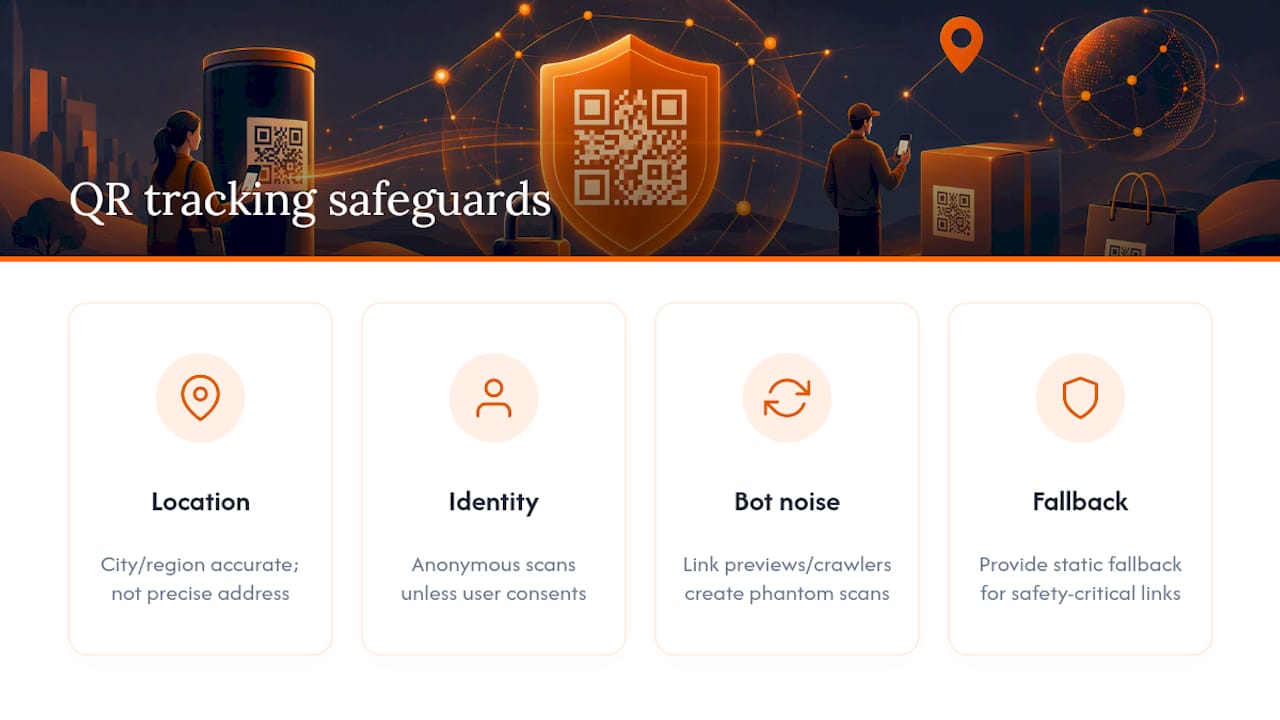
Treat location data as directional, not precise. IP-derived geolocation typically nails the city or region correctly but can miss the exact neighborhood, especially on mobile networks that route traffic through shared IP pools. A scan does not equal an identity either. Unless someone fills out a form or enters an email, you have anonymous behavioral data, not a name attached to it, and collecting personal information requires a clear consent step, not an assumption baked into the QR flow.
Link previews and automated crawlers generate phantom scans that inflate raw totals. Bot filtering at the redirect level cuts most of that noise, but comparing placements against each other remains your best sanity check against anomalies. For anything safety-critical, an emergency number, a medical instruction, keep a static fallback nearby, since a dynamic redirect is one more dependency between the scan and the destination.
How QR-Based Reward Campaigns Apply These Same Tracking Principles
Reward-driven QR campaigns capture the same scan metadata (timestamp, location, device) that any tracking setup does, but they layer conversion mechanics on top: single-use coupons, photo tagging, and social follow steps that turn a passive scan into an active engagement. That extra layer matters because a scan alone tells you someone was curious. A redeemed coupon tells you the campaign actually worked.
The no-app requirement is not just a convenience feature. It removes the single biggest drop-off point in mobile engagement, the install prompt, so more scans convert into completed actions instead of abandoned downloads. Those completed actions still flow into the same GA4, CSV, and API workflows described above, which means a local business does not need a separate analytics stack just because rewards are involved.
— Arturo
Get Reward QR: Trackable Reward Campaigns Without an App
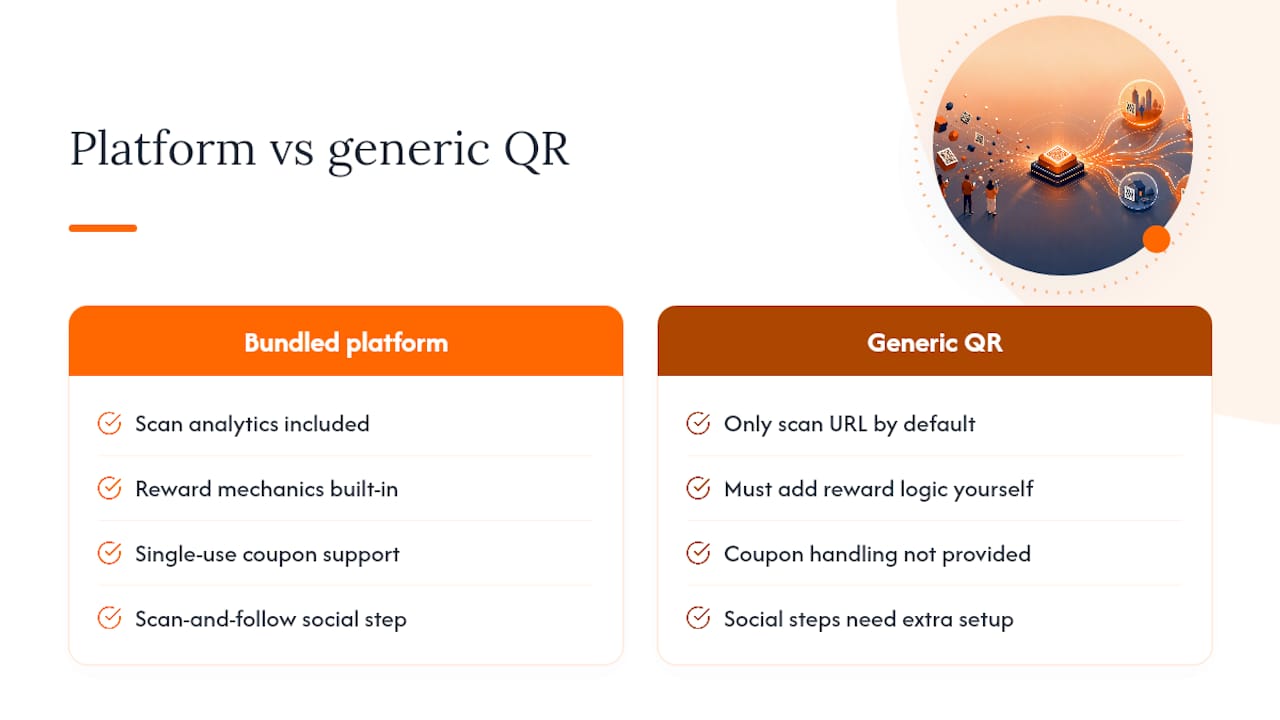
There are platforms that bundle scan analytics with reward mechanics, coupon redemption, social follow steps, and photo tagging to turn a logged scan into a repeat customer, instead of leaving you to bolt reward logic onto a generic QR generator yourself.
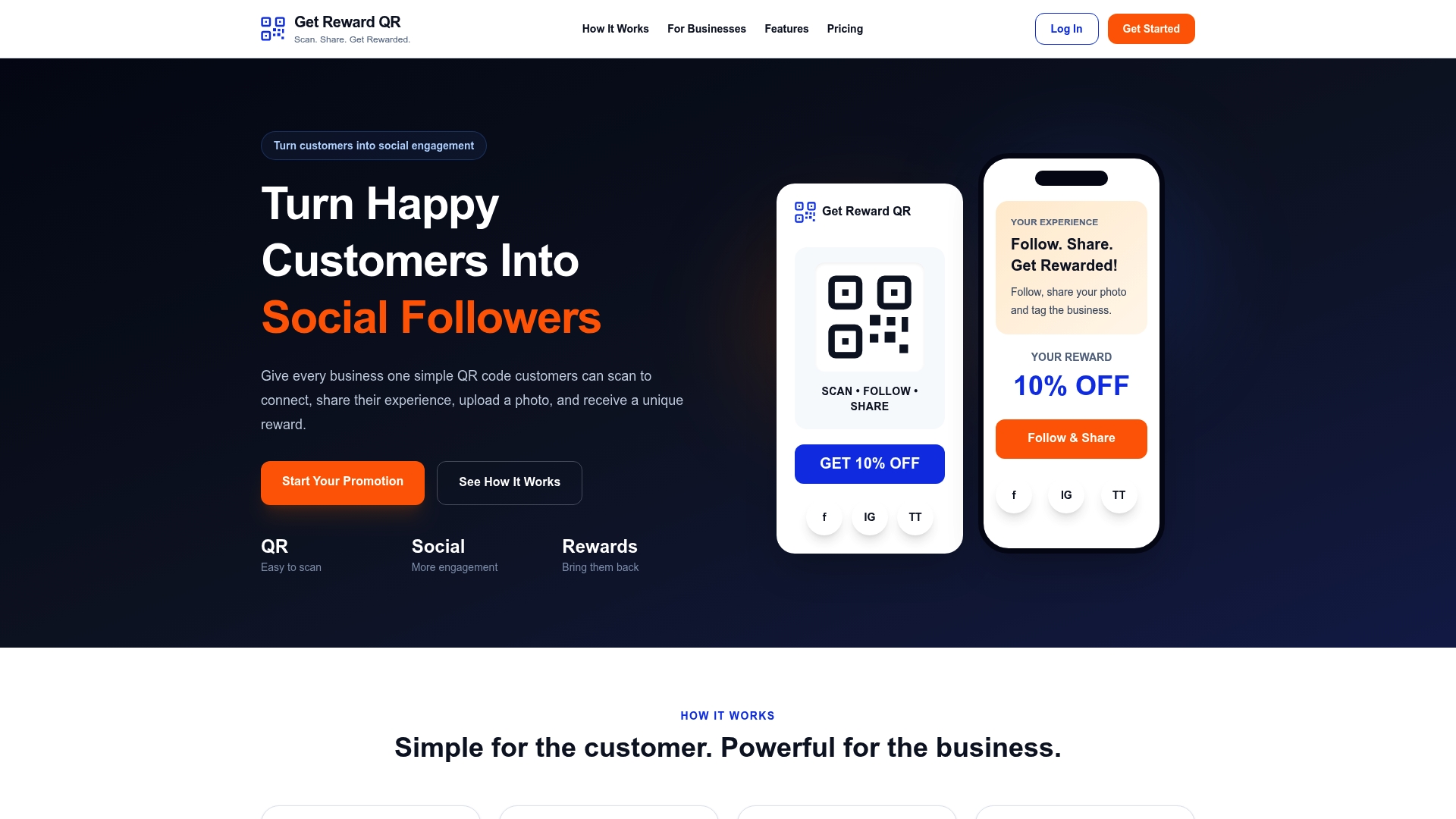
Some local businesses use such platforms with one QR code at checkout or on a table, a scan-and-follow step for social engagement, and a single-use coupon that rewards the customer without requiring an app download. Campaigns run through the platform’s own analytics, providing placement-level detail without requiring a separate GA4 setup, though layering GA4 in is optional.
Plans start at $19.99 per month, or $199 billed annually. If you run more than one location or want to compare placements the way this guide recommends, check the full feature breakdown and see whether the no-app flow fits your next campaign.
Sources
For deeper implementation detail, Google’s own UTM parameter guidance covers exact campaign tagging syntax, while GA4’s developer documentation explains event collection for anything beyond basic UTM mapping. If you’re verifying that a placement actually reaches the geography you targeted, ad verification techniques using mobile proxies offer a useful cross-check method worth understanding.
- How Does QR Code Tracking Impact Marketing Analytics? — Bitly Blog
- Google Analytics help: Measure campaign performance with UTM parameters
- QR Code Analytics — Scan Tracking, Attribution & CSV Export | EZQR
- QR Code Analytics: Track Every Scan | UQR
FAQ
Is It Possible to Track a QR Code?
Yes, but only if it’s a dynamic QR code that routes through a redirect. A static QR code has no server logging the scan, so it cannot show you totals, locations, or device data no matter how it’s designed.
Is There a Free Way to Track QR Codes?
Many vendors offer a limited free tier, often one dynamic code with a short history window, sometimes around 30 days, before older scan data gets purged. Getrewardqr’s current pricing is available on its pricing page, and paid tiers generally unlock longer retention plus export options.
How Do I Check QR Code Tracking Results?
Log into your QR platform’s dashboard to see scan counts, locations, and device breakdowns in something close to real time. If you’ve added UTM parameters to the destination URL, the same scan traffic also shows up in your GA4 campaign reports under the source and medium you assigned.
Can You Track Location With a QR Code?
You can see an approximate city or region, derived from the scanning device’s IP address, not an exact GPS pinpoint. Treat it as directional data for spotting regional trends, not as precise enough to confirm someone’s exact address or building.
What Metrics Should I Check First After Launching a QR Campaign?
Start with total scans versus unique scans, then look at the time-of-day pattern and the location breakdown. Those three numbers together tell you whether the placement is getting noticed, when people are engaging, and whether the geography matches where you actually put the code.