8 Quick Wins to Get Small Business QR Code Signage Scanned
8 Quick Wins to Get Small Business QR Code Signage Scanned
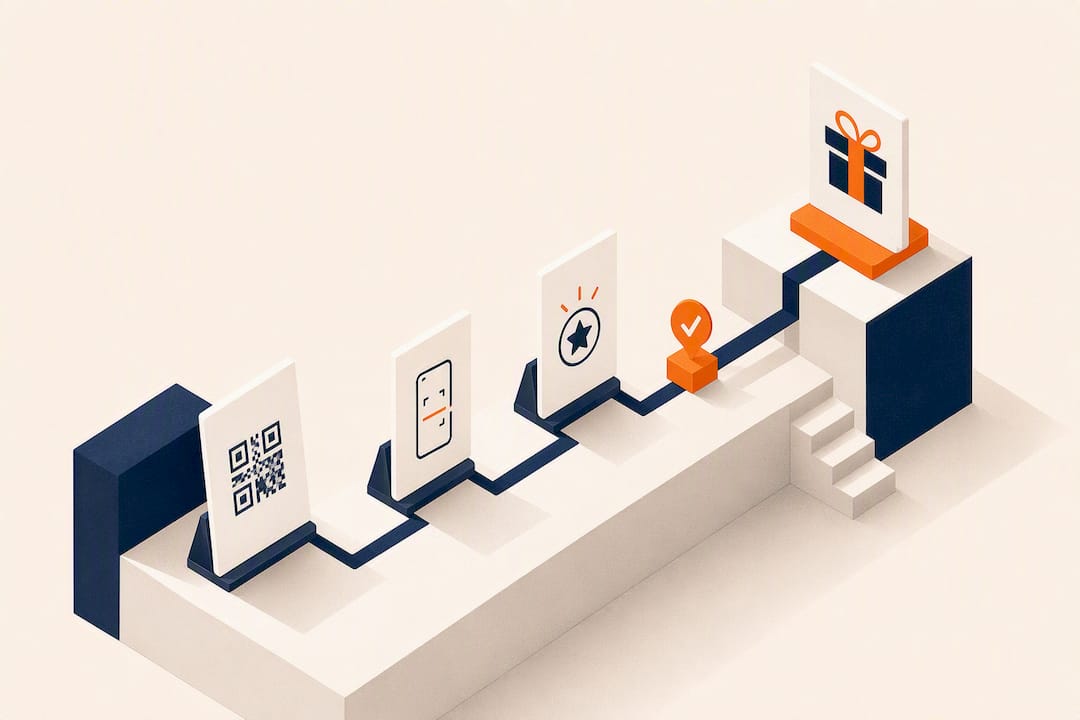
Great QR code signage works when the call-to-action, the code size, the contrast, and the landing page all point at one clear action. Skip any of those four and scan rates drop. This guide walks through the checklist, the sizing math, the design rules, and the testing steps behind signage that customers actually use, backed by Pew Research Center’s data on how dominant smartphones have become for everyday tasks, and closes with how a platform like Get Reward QR fits into that plan.
TL;DR:
- Using a dynamic QR code allows for easy updates to landing pages and offers without reprinting signage, reducing long-term maintenance costs.
- The ideal size of a QR code depends on viewing distance, with a minimum of one inch square for close-up reading and at least two feet for highway or billboard visibility.
- High contrast between dark codes and light backgrounds, along with a quiet zone around the code, are critical for ensuring reliable scans in real-world conditions.
- Testing QR codes on multiple devices before and after deployment helps identify and fix potential scanning issues early, preventing loss of engagement.
- Integrating QR codes into a broader, consistent marketing campaign across online and offline channels increases their effectiveness and encourages repeat customer interactions.
Table of Contents
- Quick Checklist: 8 Best Practices For QR Code Signage
- How Big Should Your QR Code Be, And Where Should It Go?
- Design And Branding Without Killing Scannability
- Where Should The QR Code Link, And How Do You Track It?
- Printed Signage Vs. Digital Displays: Which Format Wins?
- Test And QA Checklist Before (And After) You Launch
- What Are The Best Use Cases For Small Business QR Signage?
- How Get Reward QR Was Built Around These Exact Practices
- Privacy And Security: What Customers Are Trusting You With
- Making QR Signage Part Of A Bigger Campaign
- Keeping Physical QR Signs Accurate Over Time
- The One Habit Most Small Businesses Skip
- Get Reward QR: Rewards Without Asking Customers To Download Anything
- Sources
- FAQ
Quick Checklist: 8 Best Practices For QR Code Signage
Print or design your next sign against this list before it goes anywhere near a wall or a table.
- Lead with a benefit, not an instruction. “Scan to unlock 20% off” beats “Scan this QR code” every time, according to guidance on call-to-action QR codes.
- Use a dynamic QR code, not a static one, so you can fix links or swap offers without reprinting.
- Size for distance. A code read from a foot away needs far less real estate than one on a storefront window.
- Keep contrast high. Dark code on a light background, always, with breathing room around the edges.
- Test on your own phone before the sign goes up, and again after it’s printed or displayed.
- Add short context text (“Menu,” “Join Rewards,” “Watch the demo”) right next to the code.
- Match the code to one action. One sign, one destination, one job.
- Track scans by location using a unique link or UTM tag per placement.
How Big Should Your QR Code Be, And Where Should It Go?
Size and placement fail more QR campaigns than bad design ever does. The rule most sign professionals use: a minimum of 1 inch square for anything read up close, like a tabletop tent card or receipt, and roughly 1 additional inch of code size for every extra foot of expected viewing distance, a formula echoed in SpeedPro’s signage guidance.
- Countertop or table tent: 1 to 2 inches, viewed from 1 to 2 feet away.
- Window cling or door decal: 4 to 6 inches, viewed from 3 to 5 feet.
- Sandwich board or floor decal: 8 to 10 inches, viewed from 5 to 8 feet.
- Storefront or billboard: 2 feet or larger, viewed from 20 feet or more.
- Digital display or TV loop: size for the screen, but hold the slide static for at least 5 to 7 seconds, per TLinky’s guidance on digital signage QR codes.
Pro Tip: Print a test copy at actual size, tape it where the sign will live, and walk away to the expected viewing distance. If you have to squint or step closer, it’s too small.
Design And Branding Without Killing Scannability
A QR code is a scanner reading a pattern of dark and light squares. Anything that muddies that contrast risks a failed scan, no matter how good the sign looks.
- Keep a quiet zone, a clear margin of blank space, around the entire code. Crowding it with text or graphics is the fastest way to break a scan.
- Stick to dark code on light background whenever possible; inverted colors and busy patterns behind the code cause real-world failures.
- A logo in the center is fine on most modern QR generators, since error-correction lets the code tolerate a small covered area, but always test the branded version on multiple phones before printing hundreds of copies.
- For print, export vector formats like SVG or PDF, or a PNG at 1000×1000 pixels or higher, so edges stay crisp at large sizes.
- For screens, match the resolution to the display and avoid glossy or reflective sign materials that throw glare across the code.
Where Should The QR Code Link, And How Do You Track It?
The destination matters as much as the design. A code that opens a cluttered homepage loses people who expected one specific thing.
- Build a mobile-first, single-action landing page that mirrors the CTA on the sign, whether that’s a menu, a signup form, or a reward claim.
- Use a dynamic QR code with UTM parameters so you can attribute scans to a specific sign, edit the destination later, and fix a broken link without reprinting anything, a practice detailed in The QR Code Generator’s signage guide.
- Track three numbers at minimum: scans by location, redemption or completion rate, and conversion events like a form submission or coupon claim.
With smartphones now the primary device most people use to go online, a landing page that loads slowly or asks for too much on a small screen loses far more visitors than a poorly placed sign ever would.
Printed Signage Vs. Digital Displays: Which Format Wins?
Neither format is universally better. Print holds up in high-traffic entryways where a phone or tablet would be a liability; digital earns its keep where content changes weekly.
- Choose matte or anti-glare laminate for printed signs near windows or under bright lighting, since gloss finishes reflect light directly into camera lenses.
- Export high-resolution vector files for large-format print runs, and a screen-optimized version at the display’s native resolution for digital loops.
- Consider NFC tags or a short printed URL as backup next to the QR code, especially for older phones or situations where a camera app struggles to focus.
- On rotating digital signage, never let the QR slide flash by. Seven seconds minimum, tested at the actual playback speed of the loop.
Test And QA Checklist Before (And After) You Launch
A code that scans perfectly on your desk can fail completely on the sales floor. Run through this before launch, and again during the first few days live.
- Scan with at least three different phones, mixing iOS and Android, since camera software varies.
- Test under the actual lighting where the sign will live, not your office desk lamp.
- Check the landing page load time on mobile data, not just office WiFi.
- Confirm the page completes the promised action in one step, no extra clicks or logins.
- Watch scan data for the first 72 hours and swap the destination or offer if numbers look off.
Pro Tip: Ask three employees, not the person who designed the sign, to scan it cold. If any of them hesitate or fail, fix it before the sign goes anywhere near a customer.
What Are The Best Use Cases For Small Business QR Signage?
- Restaurant table tent: “Scan for tonight’s menu” linking to a mobile-friendly PDF or menu page.
- Retail product demo: “Scan to watch it in action” linking to a 30-second video.
- Salon or gym loyalty sign: “Scan to join and get your first reward” linking to a signup or check-in flow.
- Event booth banner: “Scan to grab our giveaway” linking to a lead-capture form with one required field.
Each example follows the same shape: name the benefit, size the code for the distance, and send the scan to a page that finishes the job in one screen.
How Get Reward QR Was Built Around These Exact Practices
Small business owners rarely have time to test five QR vendors before picking one. Get Reward QR’s app-free flow, where customers scan, follow a business’s social profile, upload a photo, and claim a reward without downloading anything, directly mirrors the CTA-first, single-action approach this guide recommends. The platform runs on dynamic links so campaign offers and social steps can change without reprinting a single sign, includes universal POS-mode coupon redemption for staff, and reports campaign analytics back to the business owner. If you run a restaurant, gym, or salon and want a demo of how the flow looks in practice, Get Reward QR’s homepage walks through it.
Privacy And Security: What Customers Are Trusting You With
Every QR scan is a small trust transaction. Customers are trusting that the code goes where you say it goes, and that whatever information they hand over, an email, a phone number, a social login, gets handled responsibly.
Start with the basics: never link a public sign to a page that silently collects more data than the CTA promises. If your sign says “scan for 10% off,” the landing page shouldn’t quietly require a full account signup with a birthdate and address. Match the data request to the value offered, and say clearly, right on the landing page, what happens with any information collected and whether it’s shared with third parties.
QR codes also carry a real security risk that has nothing to do with your business and everything to do with bad actors: sticker overlays. Someone can print a fraudulent QR sticker and paste it directly over a legitimate sign, redirecting scanners to a phishing page. This has become common enough that the FBI has issued public warnings about tampered QR codes on parking meters, restaurant tables, and public signage. Check your physical signs periodically for a sticker that looks slightly raised, misaligned, or added after installation.
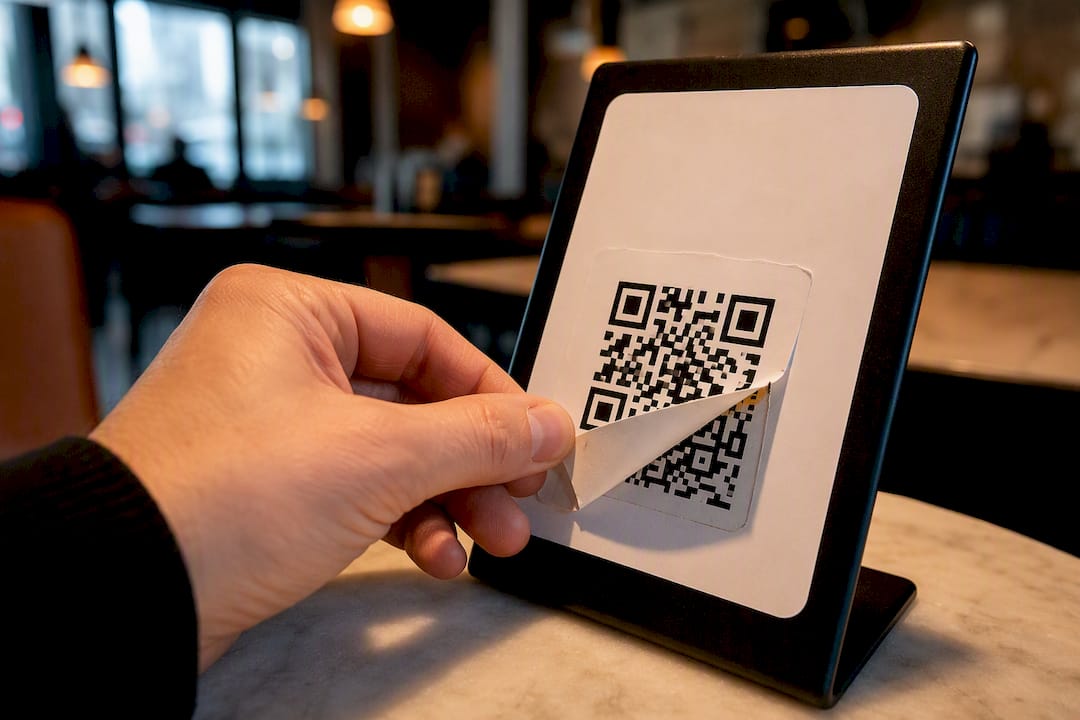
For platforms handling loyalty or reward data specifically, favor systems where customers aren’t asked to create new accounts or hand over passwords just to claim a discount. Fewer credentials collected means fewer things that can go wrong, and it also removes friction that keeps people from scanning at all.
Making QR Signage Part Of A Bigger Campaign
A QR code on a countertop shouldn’t exist in isolation. It works best as one touchpoint in a customer journey that also includes email, social media, and whatever paid ads a business is running.
Print and digital QR signage give you something most other offline marketing can’t: a direct, trackable bridge from a physical location to a digital action. A postcard mailer or a radio ad can’t tell you exactly who acted on it. A dynamic QR code with a unique link per placement can, tying an in-store scan to the same customer profile that later opens a follow-up email or clicks a retargeting ad.
Coordinate the offer across channels so the QR code isn’t competing with a different promotion running on Instagram that same week. If a window decal promotes a loyalty signup, the business’s social bio, email footer, and receipt printouts should point at the same reward, not three different ones that confuse repeat customers. Consistency across offline and online touchpoints is what turns a single scan into a returning customer, rather than a one-time novelty interaction.
Seasonal or limited-time signage benefits the most from this integration. A holiday promotion QR code on an in-store poster, backed by matching email and social content, gives customers multiple chances to encounter and act on the same offer, which raises the odds that at least one of those touchpoints lands at the right moment.
Keeping Physical QR Signs Accurate Over Time
A QR sign printed once and forgotten is a liability waiting to happen. Offers expire, menus change, and staff turn over, but the sign on the wall doesn’t update itself.
The fix starts before printing: use a dynamic QR code so the destination URL can change without touching the physical sign. A static code baked directly into a landing page URL means any change, a new menu, a different promotion, a fixed typo, requires reprinting and replacing every sign that used it. Dynamic codes separate the printed code from its destination, so the update happens on the backend while the sign stays exactly where it is.
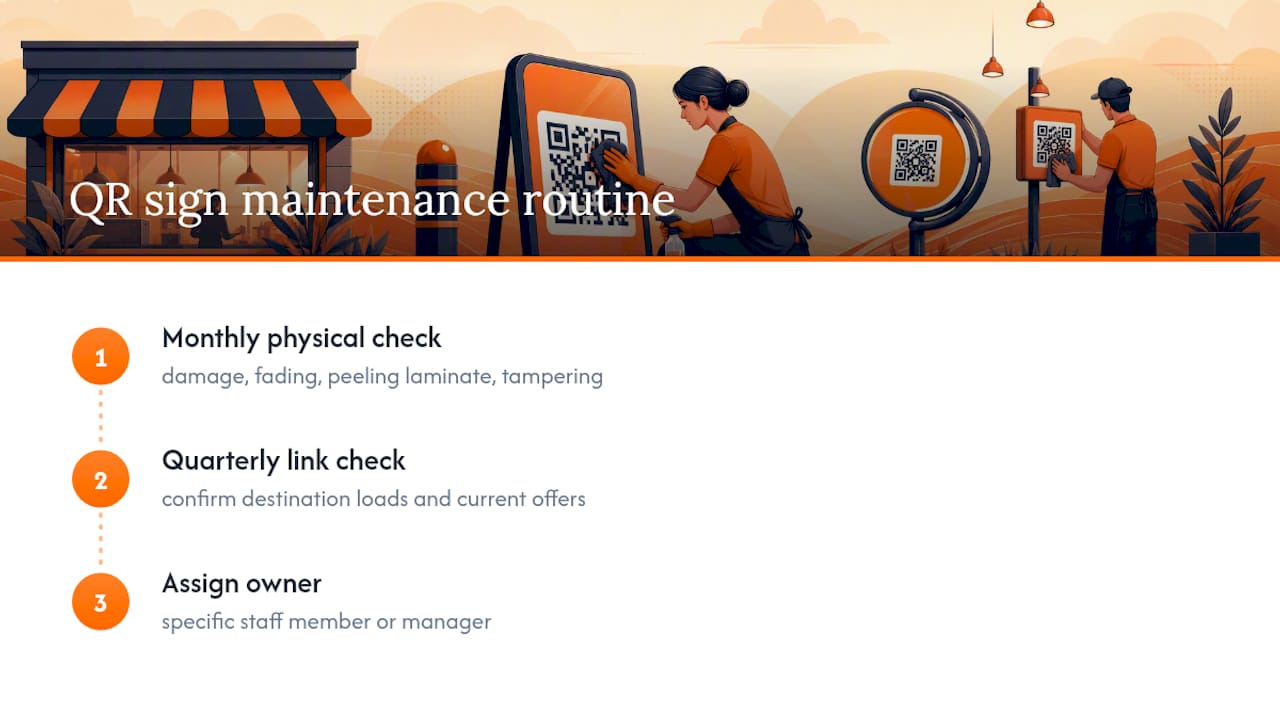
Build a simple maintenance routine: check every physical QR sign monthly for physical damage, fading, peeling laminate, or tampering, and check the destination link quarterly to confirm it still loads correctly and reflects current offers. Assign this to a specific staff member or manager rather than leaving it to whoever happens to notice a problem.
For digital displays, the maintenance burden shifts from physical wear to content freshness. Screens looping outdated promotions look worse than a blank slide, since customers assume the business itself is inattentive. Whether physical or digital, treat QR signage the way you’d treat a menu board or window sign: something that needs a regular glance and an occasional refresh, not a permanent, one-time install.
The One Habit Most Small Businesses Skip
Design gets all the attention, but the businesses that get real results from QR code signage are the ones that test before launch and check scan data after. A gorgeous sign with a broken link or a five-page signup form fails just as hard as an ugly one. Get the CTA and landing page right first, then worry about fonts and colors.
— Arturo
Get Reward QR: Rewards Without Asking Customers To Download Anything
The biggest friction point in most loyalty programs isn’t the reward, it’s the app download nobody wants to sit through. Getrewardqr skips that step entirely: customers scan, follow your social profiles, upload a photo, and claim a reward, all inside their phone’s camera and browser.
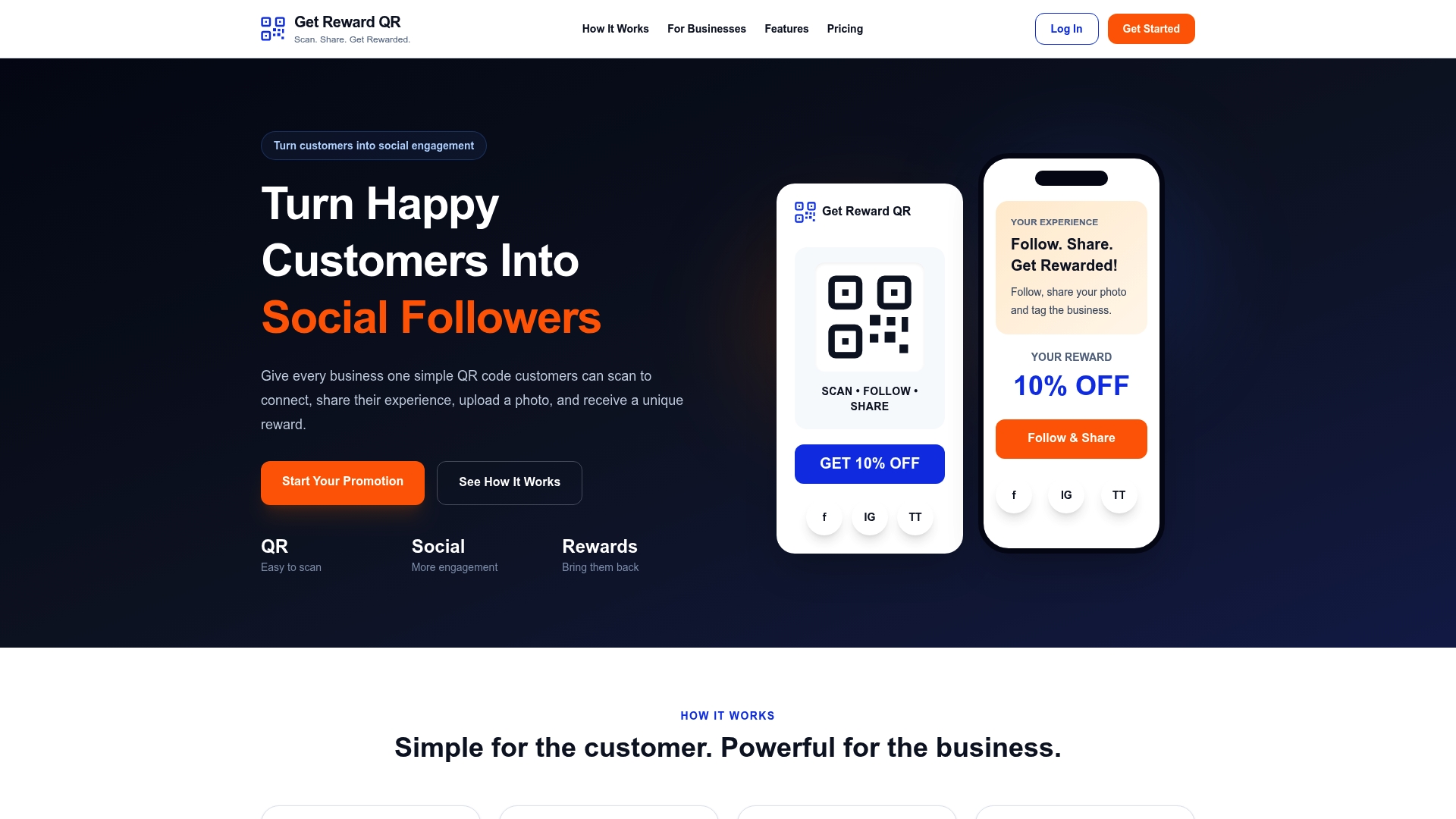
Behind that simple customer flow sits everything this guide recommends: dynamic QR links you can edit without reprinting signs, business-specific social and reward steps you control, single-use coupon codes staff can redeem at checkout through universal POS mode, and campaign analytics that show what’s actually working. It is designed for local businesses that want a loyalty system running quickly. Plans start at $19.99 per month or $199 per year on the Get Reward QR pricing page, where you can compare the monthly and annual options and get a campaign live.
Sources
- Create digital signage QR codes that drive instant action (The QR Code Generator)
- Best practices for QR code signage (SpeedPro)
- QR Codes on digital signage (TLinky)
- Mobile fact sheet (Pew Research Center)
FAQ
How Do I Make A QR Code Sign?
Pick a specific goal, generate a dynamic QR code that links to a mobile-first landing page matching that goal, then design the sign with high contrast, adequate size for the viewing distance, and a short benefit-driven CTA next to the code.
What Is The FBI Warning About QR Codes?
The FBI has warned that criminals sometimes place fraudulent QR code stickers over legitimate signage to redirect scanners to phishing sites, so check physical signs periodically for tampering, misalignment, or stickers that look added after installation.
Is It A Good Idea To Put A QR Code On A Billboard?
Yes, but only if the code is sized for the actual viewing distance, roughly 2 feet or larger for highway visibility, and paired with clear context text, since a driver has only a few seconds to notice and act on it.
How Much Does A QR Code Standee Cost?
Standee costs vary widely by material and size and aren’t standardized industry-wide, so get a quote from a local or online print provider for your specific size and finish; the code generation itself is typically free or included in a QR platform’s subscription, such as Get Reward QR’s plans starting at $19.99 per month.