5 Quick Checks to Secure QR Code Scans in 10 Seconds
5 Quick Checks to Secure QR Code Scans in 10 Seconds
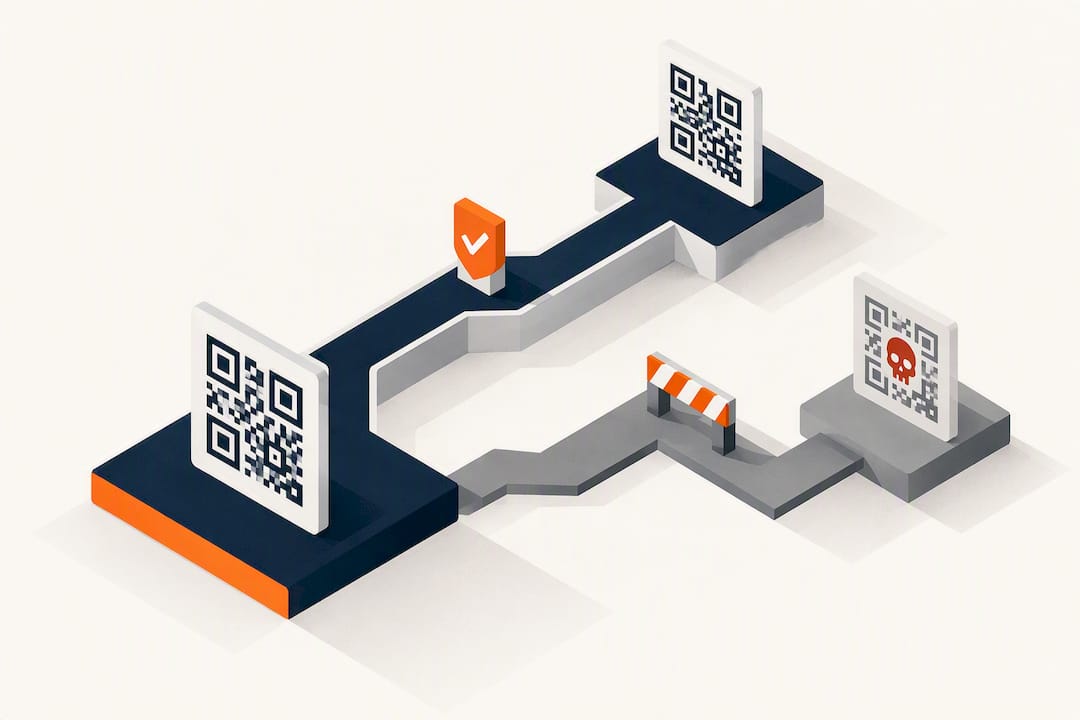
QR codes are not inherently dangerous. The code itself is a passive image that cannot install anything on your device. The real risk lives in the destination it points to, so the single most important habit is previewing the URL before you tap it. If the domain looks off, shortened, or unfamiliar for the context, stop and verify it another way before entering any information.
TL;DR:
- Most QR code attacks exploit trust in the destination URL, not the code itself, making URL preview and verification crucial efforts.
- Physical tampering, such as sticker overlays on public QR codes, is the most common real-world attack, especially in unattended public spaces.
- Verify QR codes by inspecting for physical signs of tampering and checking the full URL preview, especially for shortened links, before opening the link.
- Use your phone’s native camera app with URL preview enabled and avoid third-party scanners that auto-open links to reduce the risk.
- Businesses should print static codes directly into designs, use HTTPS landing pages, and collect minimal data to mitigate risks in QR code campaigns.
Table of Contents
- Where QR Code Security Risks Actually Come From
- How Do You Verify a QR Code Before Opening It?
- Which Device Settings Actually Reduce QR Risk?
- What to Do Immediately After a Malicious QR Scan
- What Does Scanning a QR Code Reveal About You?
- How Are QR Codes Made Secure Behind the Scenes?
- How Do You Choose a Secure QR Scanning App?
- What Real QR Code Breaches Teach Us
- Running a QR Campaign Without Creating a Security Problem
- Sources
- FAQ
Where QR Code Security Risks Actually Come From
Most QR code attacks, often called quishing, don’t exploit the code itself. They exploit the fact that people trust a scan more than they’d trust a suspicious text link, and that a QR image can slip past email filters that would otherwise flag a malicious URL. Duke University’s security guide advises treating every QR code the way you’d treat an unprompted link from a stranger, and for good reason: the visual format hides the destination until you scan it.
The physical world has its own version of this problem — businesses can improve safety by following a practical retail security checklist to spot and prevent in-person QR tampering. Attackers print a malicious QR sticker and slap it directly over a legitimate one on parking meters, restaurant table cards, or event kiosks. IC3’s advisory on QR sticker attacks documents this as the most common physical tampering pattern law enforcement sees. The UK’s National Cyber Security Centre notes that quishing is still a small slice of overall fraud, but it clusters heavily in two places: unsolicited email and public spaces where a code can be swapped without anyone noticing.
Risk depends heavily on context:
- Low risk: a code printed directly in a restaurant’s own menu design, on packaging, or in a business’s official marketing material.
- Medium risk: a code on a shared bulletin board, a flyer, or a table tent that could have been altered after printing.
- High risk: a code in an unsolicited email, text message, or a sticker slapped over an existing sign, especially one urging urgent payment or login.
Shorteners and redirect chains add another layer of risk, since they hide the final domain until you’ve already committed to opening the link.
How Do You Verify a QR Code Before Opening It?
A ten-second check stops nearly every quishing attempt. Run through this before you scan anything you didn’t print yourself or scan every day.
- Look before you scan. Run a finger along the edge of the code. A sticker slapped over the original often has a slightly raised edge, a mismatched finish, or sits a little crooked compared to the surrounding print.
- Read the preview, don’t tap it. Your phone’s native camera shows a preview of the destination URL before opening anything. Read the whole domain, not just the first few characters.
- Decode shorteners before trusting them. If the preview shows a shortened link (bit.ly, tinyurl, or similar), paste the decoded address into a tool like VirusTotal, Urlscan.io, or a dedicated QR reputation scanner that follows redirects to the real landing page.
- Ask if the domain fits the context. A parking app code should land on the city’s parking portal, not a generic payment page with a misspelled brand name.
- When in doubt, go around it. Type the business’s known URL directly, call the venue, or ask staff, rather than trusting a code you can’t verify.
Pro Tip: Bookmark the official app or site for places you scan often, like a gym check-in or a parking garage. If a QR code ever redirects somewhere different from what you expect, that mismatch alone is your signal to stop.
The Canadian Centre for Cyber Security’s guidance backs this same sequence: inspect, preview, verify, and only then proceed.
Which Device Settings Actually Reduce QR Risk?
Your phone’s built-in camera is almost always your safest scanner, mainly because it shows a URL preview before opening anything and doesn’t auto-launch links the way some third-party scanner apps do.
- Use the native camera app for scanning instead of downloading a dedicated QR reader, unless you have a specific reason to need one.
- On iOS, go to Settings, then Camera, and turn off “Scan QR Codes” if you want scanning to require a deliberate action rather than happening automatically when the camera points at a code.
- On most Android phones, disable auto-detection inside the camera or Google Lens settings so codes aren’t scanned passively in the background.
- Keep your operating system and browser updated. Most mobile browsers now flag known-malicious domains automatically, but only on current versions.
- Turn on multi-factor authentication for accounts, so a stolen password from a phishing page reached via QR isn’t enough on its own.
- Never enter login credentials or card details on a page you reached through an unsolicited QR code, even if the design looks convincing.
Businesses publishing their own codes should stick to static codes printed directly into the design (not adhesive labels), point every code to an HTTPS landing page, and avoid third-party dynamic-redirect services that obscure the final destination.
What to Do Immediately After a Malicious QR Scan
Acting fast limits the damage and preserves evidence for a report. Follow these steps in order.
- Change passwords on any account where you entered credentials, and turn on two-factor authentication if it wasn’t already active.
- Call your bank or card issuer right away if you entered any payment information, so they can flag or freeze the card.
- Scan your device for malware and review recently granted app permissions for anything you don’t recognize.
- Report it. Tell the venue or business where you found the code, and file a report with a consumer protection authority such as IC3. Keep screenshots of the code and the page it opened as evidence.
Following the Duke security guide’s incident sequence, this same order (credentials, payments, device, report) applies whether you’re an individual or handling this for a small business.
What Does Scanning a QR Code Reveal About You?
The printed code itself only encodes text, almost always a URL. It doesn’t carry your name, location, or contact details. The privacy exposure starts once your phone loads the landing page, which can log your IP address, device type, browser, timestamp, and can set cookies just like any other website visit.
That distinction matters for GDPR-aware businesses generating their own campaign codes. GDPR compliance guidance for QR codes treats scan-level data as personal data once it can be tied back to an individual, whether through an IP address, an account login, or a device fingerprint. That triggers the same obligations as any other web analytics: a lawful basis, a retention limit, and transparency about what’s collected.
Practical mitigations for businesses running QR campaigns:
- Hash or anonymize IP addresses at the point of collection rather than storing them raw.
- Set short, campaign-length retention windows instead of indefinite log storage.
- Report scan volume in aggregate rather than tracking individual visitors across sessions.
- Publish a short, plain-language notice on the landing page explaining what’s collected and why.
- Skip third-party trackers and pixels on QR landing pages. Guidance on QR codes and GDPR points out that dropping unnecessary trackers is often the single fastest way to shrink your consent obligations.
How Are QR Codes Made Secure Behind the Scenes?
A standard QR code has no built-in authentication. Anyone can generate one pointing anywhere, which is exactly why the format gets abused. Some platforms now add cryptographic signing to close that gap: the landing page or the code payload carries a signature that a verifying app or server checks before trusting the content, similar in concept to how software packages get signed before installation.
Dynamic QR codes, where the printed code points to a redirect service rather than a fixed URL, add a different kind of protection. The business can update the destination, disable a compromised code instantly, or swap in a new campaign, all without reprinting anything. That flexibility cuts both ways: if the redirect service itself gets compromised, every code pointing through it is affected at once, which is why choosing a redirect provider with strong account security matters as much as the code design.
Secure QR generation on the publishing side also means serving landing pages exclusively over HTTPS, so the connection between the scanner’s phone and the destination is encrypted rather than sitting in plaintext. Combined with signed payloads and monitored redirect infrastructure, that’s the closest the ecosystem gets to end-to-end trust for a format that was never designed with authentication in mind.
How Do You Choose a Secure QR Scanning App?
Your phone’s built-in camera app is the safest default because it previews the destination URL before opening anything and doesn’t require extra permissions beyond the camera itself. If you do install a dedicated scanner app, a few checks matter more than star ratings.
Check what permissions the app requests. A QR scanner needs camera access and nothing else; one asking for contacts, location history, or the ability to run in the background is asking for more than the job requires. Look at who publishes it and how recently it’s been updated, since abandoned scanner apps are a common vector for stale security holes. Favor apps that show a URL preview and let you decide before opening a link, rather than ones that auto-launch the browser the instant a code is detected.
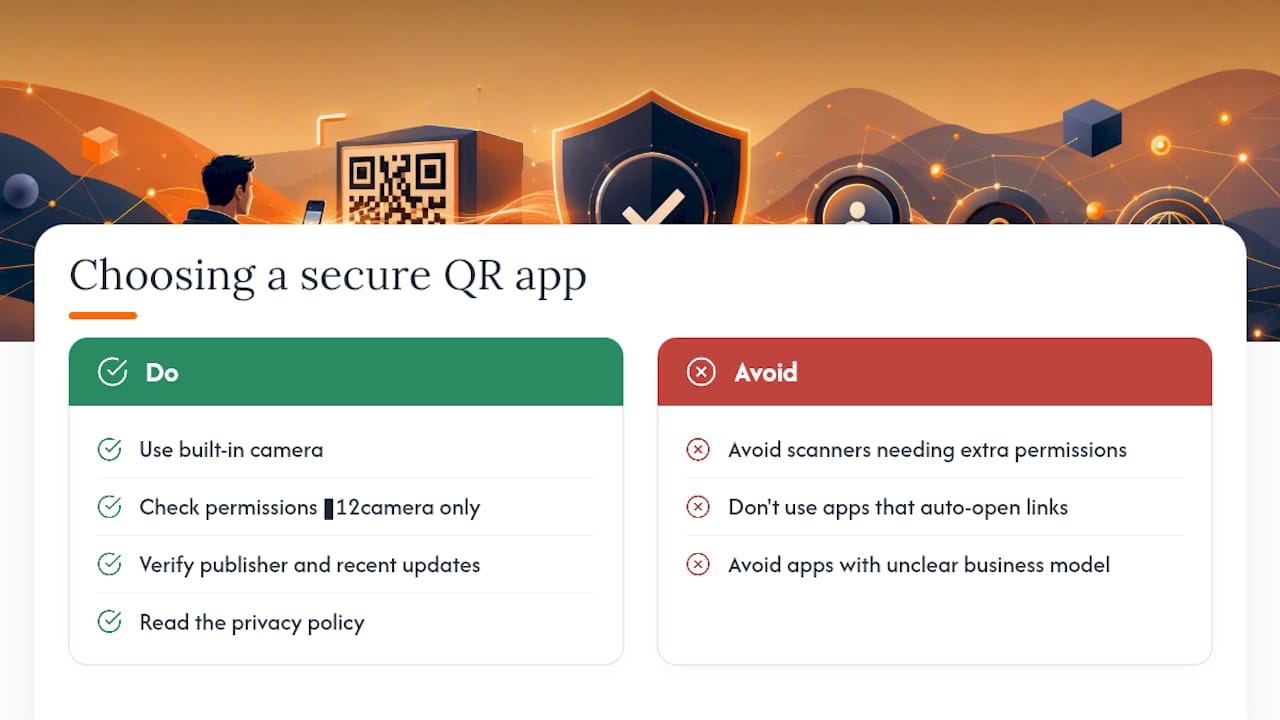
Read the privacy policy, or at least skim it, before trusting an app with your camera feed. Some free scanner apps monetize by inserting ads directly into scan results or by logging every code you scan. If an app’s business model isn’t obvious, that’s a signal to stick with the native camera instead.
What Real QR Code Breaches Teach Us
The sticker-over pattern documented by IC3 is the clearest real-world case study available, and it repeated across a wide enough footprint of parking meters and municipal payment kiosks that it prompted a formal federal advisory. The mechanics were simple: a criminal printed a QR sticker resembling the city’s official parking payment code, placed it directly over the real one, and collected payment card details from drivers who scanned it expecting to pay for parking.
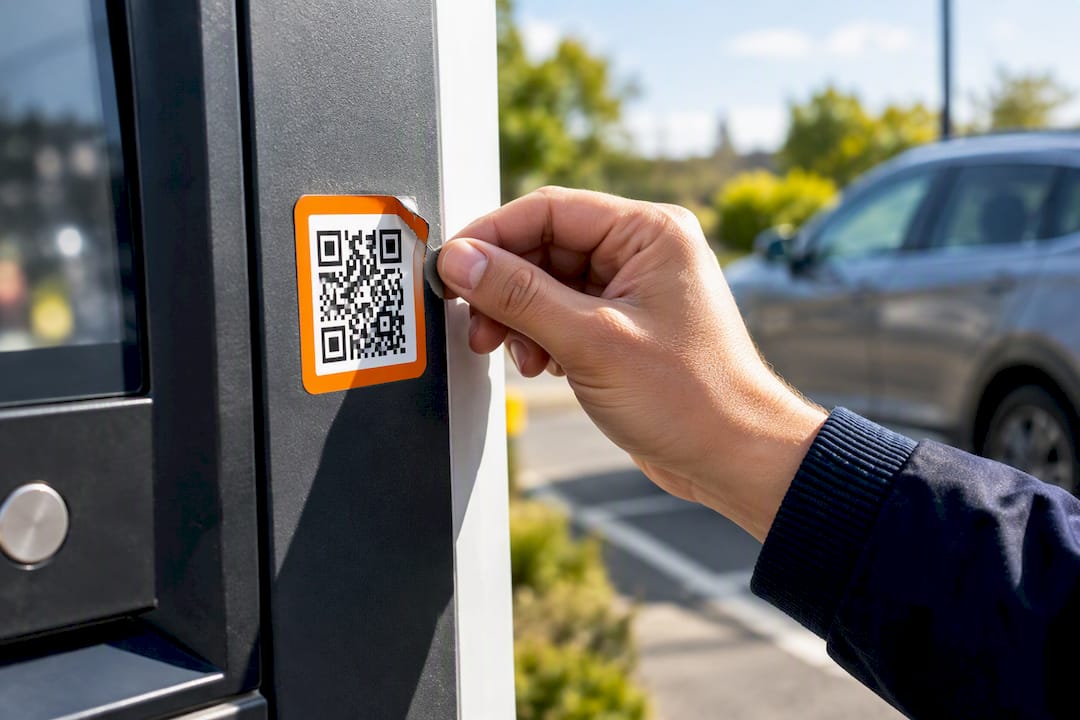
The lesson isn’t really about parking meters. It’s about how little friction it takes to intercept a transaction once people trust a visual code more than they’d trust typing a URL manually. The same pattern shows up wherever a code sits unattended in a public space: restaurant tables, transit kiosks, event check-ins. Every documented case shares the same root cause, a legitimate code swapped for a fake one in a location nobody was actively watching, and the same fix: a quick physical inspection and a URL preview before entering anything.
For businesses, the takeaway is to make tampering harder to pull off in the first place. Codes printed directly into packaging or signage, rather than added as a separate sticker, are far harder to swap without it being obvious.
Running a QR Campaign Without Creating a Security Problem
Safe QR campaigns share three habits: print the code directly into the design instead of using a peel-off sticker, send scans to an HTTPS landing page, and collect only the data the campaign actually needs. Skip the third-party trackers. They add risk without adding value for a local business running a rewards program.
This is exactly the design philosophy behind Get Reward QR: app-free scan flows, branded landing pages a customer can trust on sight, and single-use coupons that don’t require storing card or login data anywhere in the loop. A campaign built this way gives customers fewer reasons to hesitate before scanning, which is good for security and good for redemption rates alike.
— Arturo
Sources
- QR Code Security Guide — Duke University
- QR Codes - what’s the real risk? — NCSC
- Security considerations for QR codes ITSAP.00.141 — Canadian Centre for Cyber Security
- IC3 PSA on QR code sticker attacks
- How to Check if a QR Code Is Safe — Is This QR Safe?
FAQ
How Do I Secure My QR Code?
Print codes directly into your design rather than using removable stickers, since that’s the easiest way for someone to swap in a malicious version. Point every code to an HTTPS landing page, use a reputable dynamic-QR platform if you need editable destinations, and check codes periodically for signs of tampering.
Are There Real Security Concerns With QR Codes?
Yes, but the concern sits with the destination URL, not the code pattern itself, since scanning alone can’t install software on your device. The main risks are quishing links in email or public spaces and physical sticker-over attacks on codes in unattended locations like parking meters and kiosks.
How Do I Check if a QR Code Is Safe?
Preview the destination URL using your phone’s native camera before opening anything, and read the full domain rather than just glancing at it. If the link is shortened or looks unfamiliar, paste the decoded address into a QR reputation scanner that follows redirects before you trust it.
Can Someone Get Your Information From a QR Code?
A QR code itself only stores text, usually a URL, so scanning it alone doesn’t hand over your personal data. The exposure happens on the landing page it opens, which can log your IP address, device details, and timestamp, and that’s where GDPR-style data protection obligations come into play for the business running the campaign.