Secure, Accessible QR Code Best Practices for Marketers
Secure, Accessible QR Code Best Practices for Marketers

Design QR codes for high contrast, mobile-friendly destinations, and a visible short URL, and choose dynamic codes whenever tracking or redirects matter. Follow the accessibility guidance in Section 508’s QR code guidance and the security warnings from the FBI, and consider a platform like Get Reward QR when you want the tracking built in.
TL;DR:
- Dynamic QR codes are recommended for flexibility, allowing destination updates and better tracking, especially when tracking and analytics are important.
- Ensure QR code contrast meets WCAG minimum standards and print a readable URL next to the code so users can access content if scanning fails.
- Always test QR codes in the actual environment, from the appropriate distance, in various lighting conditions, and on different devices before and after deployment.
- Verify public QR codes for overlays or tampering by physically inspecting them and previewing destination URLs to avoid malicious redirects.
- Use appropriately sized codes following the 10:1 scan-distance rule and apply matte or satin finishes to prevent glare under overhead lighting.
Table of Contents
- 1. Build a scannable code from the ground up
- 2. Meet accessibility requirements without extra work
- 3. Protect users from quishing and malicious redirects
- 4. Get the sizing, printing, and file specs right
- 5. Use dynamic links and analytics to keep campaigns measurable
- 6. Run a prelaunch and post-launch testing checklist
- When QR codes earn their place in a campaign
- A QR-native way to run rewards without extra tools
- Standards and guidance worth bookmarking
- Sources
- FAQ
1. Build a scannable code from the ground up
A QR code fails for one of a few predictable reasons: poor contrast, a cramped quiet zone, or a size that does not match the distance people are standing from it. Fix those first, then layer on the context that actually gets people to scan.
- Keep the code dark on a light background. Inverted codes (light modules on a dark field) scan poorly on many phone cameras and should be avoided outright.
- Leave a clear quiet zone, a blank border around the code equal to roughly four modules, so the scanner can lock onto the pattern.
- Apply the 10:1 scan-distance rule: the code’s printed width should be about a tenth of the distance from which people will scan it.
- Print a short, human-readable URL next to the code and a one-line instruction that says what happens after the scan.
- Default to a dynamic QR code for anything you print. Static codes lock in a destination forever, and a dead link on a poster cannot be fixed after it ships.
- Skip QR codes entirely in digital contexts, such as emails or web pages, where a plain clickable link does the same job with less friction.
Nielsen Norman Group’s usability research notes that a QR code carries no built-in “information scent.” Nobody knows what scanning it will do unless you tell them, so the label matters as much as the code itself.
Pro Tip: Write the CTA as an action, not a label: “Scan to see this week’s menu” outperforms a bare “Scan Me” because it sets an expectation.

2. Meet accessibility requirements without extra work
Most QR accessibility failures trace back to two habits: skipping alt text and treating the code as the only way to reach the content. Both are easy to fix.
- Keep contrast at or above the WCAG minimum of 3:1 for the code’s modules against its background, and test any branded color pairing rather than assuming it passes.
- Write alt text that names the destination, following a pattern like “QR code, scan to view the menu at example.com,” rather than a generic “QR code image.”
- Always print the destination URL where a person can read and type it, so the code is a shortcut and never the only route in.
- Test the destination page itself with a screen reader; an accessible code pointing to an inaccessible page still fails the reader.
Standard black-on-white codes usually clear contrast requirements on their own, while branded color pairings often fail and need testing before they go to print.
3. Protect users from quishing and malicious redirects
Quishing, QR code phishing, is now serious enough that the FBI has issued advisories about malicious codes used to harvest credentials and payment details. The fix is mostly procedural, on both the business side and the user side.
- Never place a QR code in public without a way to check it later. Own the placement, or verify who controls it.
- Preview the destination URL before tapping through, and confirm it uses HTTPS and matches the brand you expect.
- Never enter passwords, card numbers, or other personal information from a scan of an unsolicited or unexpected code.
- Physically inspect public codes for overlays. Montgomery County Police recommend a peel check, running a fingernail across the edge to catch a sticker placed over the real code.
Pro Tip: Treat an unsolicited QR code the same way you’d treat an unsolicited link in an email: verify before you tap.
4. Get the sizing, printing, and file specs right
The math behind reliable scanning is simple, but it only works if the print production respects it. Vector files (SVG or EPS) hold up better than compressed PNGs when a code gets resized for different materials, and a matte or satin finish avoids the glare that glossy coatings cause under overhead lighting.
- Apply the 10:1 rule at each format: a tabletop tent card scanned from 30 centimeters needs a code around 3 centimeters wide, while a banner scanned from 3 meters needs one around 30 centimeters wide.
- Keep the quiet zone intact and never crop into it when a design gets trimmed for print.
- Proof the final file on the actual stock before a full print run, since paper texture and coating change how the code reads.
| Placement | Typical scan distance | Minimum code width |
|---|---|---|
| Tabletop card | 30 cm | 3 cm |
| Poster or flyer | 1 m | 10 cm |
| Storefront window | 2 m | 3 cm |
| Banner or billboard | 5 m | 30 cm |
These figures follow the 10:1 scan-distance guideline that practitioners commonly apply for signage sizing.
5. Use dynamic links and analytics to keep campaigns measurable
A dynamic QR code points to a short redirect URL that you control, rather than baking the final destination into the code itself. That single design choice is what makes a campaign fixable and measurable after it goes to print.
- Route every code through a branded short domain instead of a generic shortener, which keeps the code simpler and builds recognition.
- Track scan counts, time of day, and device type so you can tell which placement is actually working.
- Disclose in plain terms that scanning collects analytics, especially when a scan leads to a form or account signup.
The FBI’s 2026 guidance points out that dynamic codes let a team fix broken destinations after print and collect the analytics that iterative optimization depends on, something a static code can never offer.
6. Run a prelaunch and post-launch testing checklist
Test before you print, then keep testing after launch.
- Scan the code on both iOS and Android, in bright daylight and in dim indoor light, from the distance real customers will stand.
- Run the destination page through VoiceOver on iOS and TalkBack on Android, and confirm the printed URL is legible at arm’s length.
- Preview the destination URL, confirm it uses HTTPS, and check the physical placement for stickers or overlays before launch.
- After launch, revisit public placements periodically to make sure nothing has been tampered with.
Pro Tip: Keep a simple log of every printed code, its destination URL, and the date it went live, so a security check or a broken link takes minutes instead of a search.
When QR codes earn their place in a campaign
A QR code makes sense when the payoff justifies the extra tap: a menu, a loyalty reward, a social follow. It makes less sense when a plain short link or an NFC tag would get someone to the same place faster. The best campaigns treat security and accessibility as part of the design, not an afterthought bolted on before printing. Get that balance right and a QR code becomes a fast, trackable bridge between a physical space and a digital action, not a weak link a bad actor can exploit.
— Arturo
A QR-native way to run rewards without extra tools
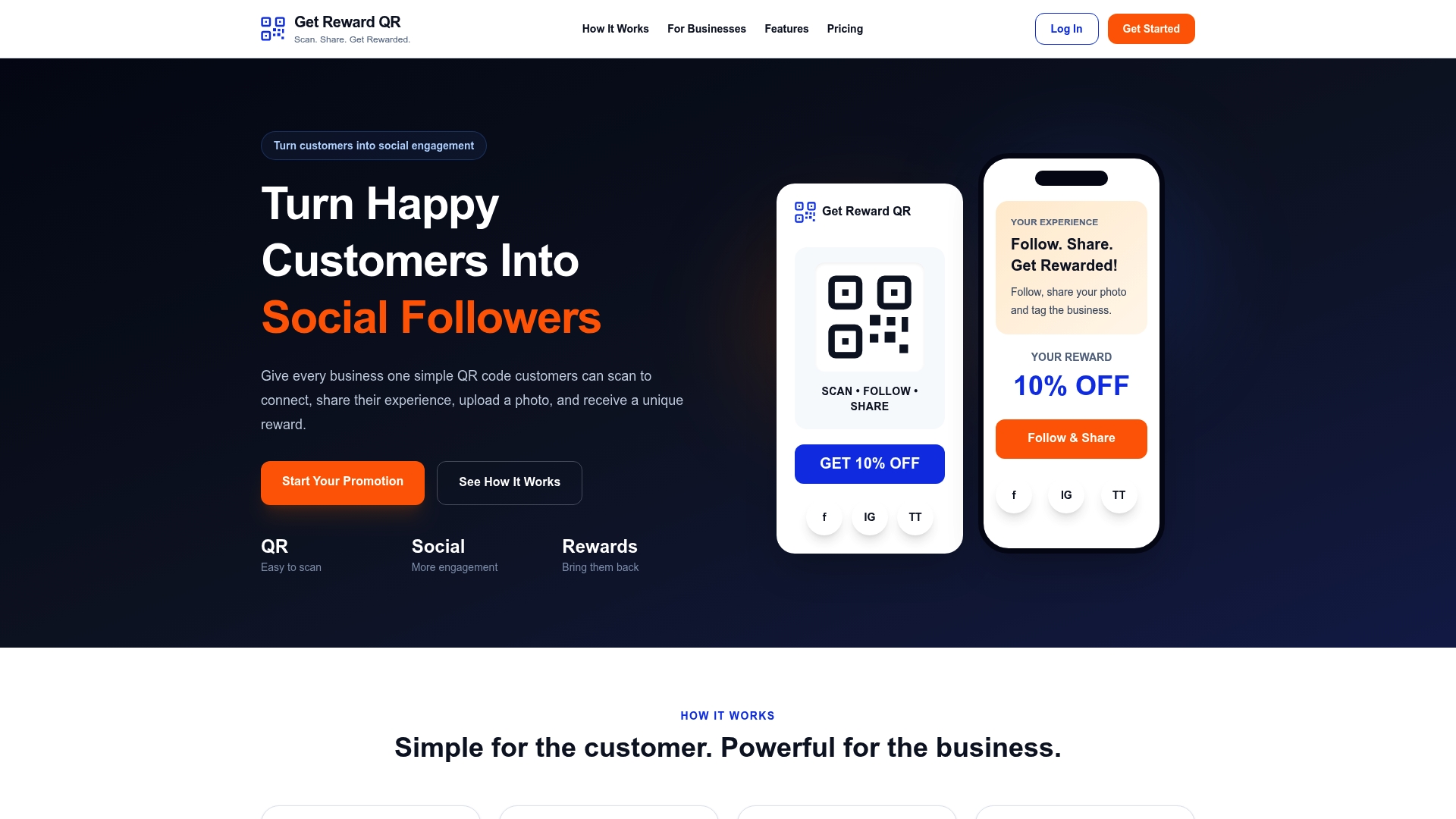
Following every rule above still leaves a business building its own tracking, redirects, and staff redemption process from scratch. Get Reward QR packages that work into a single subscription: customers scan a code, follow the business’s social profiles, upload a photo, and get a single-use coupon, all without downloading an app.
- Runs entirely through QR codes, so there is no app for customers to install or forget.
- Includes a universal POS mode that staff can use to redeem coupons at checkout.
- Gives businesses campaign analytics and full control over branding, offers, and which social platforms are part of the flow.
This fits restaurants, gyms, salons, and similar local businesses that want repeat visits and social sharing without building a loyalty app in-house. Plans run Monthly at $19.99 per month or Annual at $199 per year. You can look over the full feature set on the Get Reward QR site before choosing a plan.
Standards and guidance worth bookmarking
For readers doing compliance or security work, these are the primary sources behind the rules above.
- FBI cyber advisory on malicious QR codes, for quishing threats and dynamic code recommendations.
- Section 508 guidance on QR code accessibility, for contrast and alt text requirements.
- Department of Energy QR code standards, for placement and accessibility guidance in official signage.
- Nielsen Norman Group’s QR code usability guidelines, for context and CTA research.
- For teams that also want outside operational support, castcall’s marketing services overview covers campaign execution alongside QR-based touchpoints.
Sources
- FBI: North Korean Kimsuky actors leverage malicious QR codes
- Section508: Accessibility bytes — QR codes
- 13 QR-Code usability guidelines — Nielsen Norman Group
- QR Code standards and best practices — Department of Energy
- Fake QR / Quishing guidance — Montgomery County Police
FAQ
What is a recommended practice regarding QR codes?
Print a visible short URL next to the code and use a dynamic QR code so the destination can be fixed or tracked after printing. This pairing is recommended by both Department of Energy standards and the FBI’s 2026 guidance on quishing prevention.
What is a best practice when scanning QR codes?
Preview the destination URL before tapping through and confirm it uses HTTPS, especially for a code you did not expect to see. Local security guidance also recommends a physical peel check on public codes to catch a sticker placed over the real one.
What are the rules for QR codes?
There is no single legal rulebook, but agency guidance converges on a few points: keep contrast above the WCAG minimum of 3:1, print the destination URL alongside the code, and size the code using the 10:1 scan-distance rule. Accessibility placement, like mounting height, also matters for physical signage.
What makes a good QR code?
A good QR code has strong contrast, an intact quiet zone, and is sized correctly for its expected scan distance, paired with a clear CTA and a visible URL. Usability research from Nielsen Norman Group found that context and a visible destination increase both scan rates and trust.